In order to pass a list of filter arguments to your pivot table instead of selecting them all manually you can do the following:
1) Pass your filter table and your data table to the Data Model (Power Pivot):
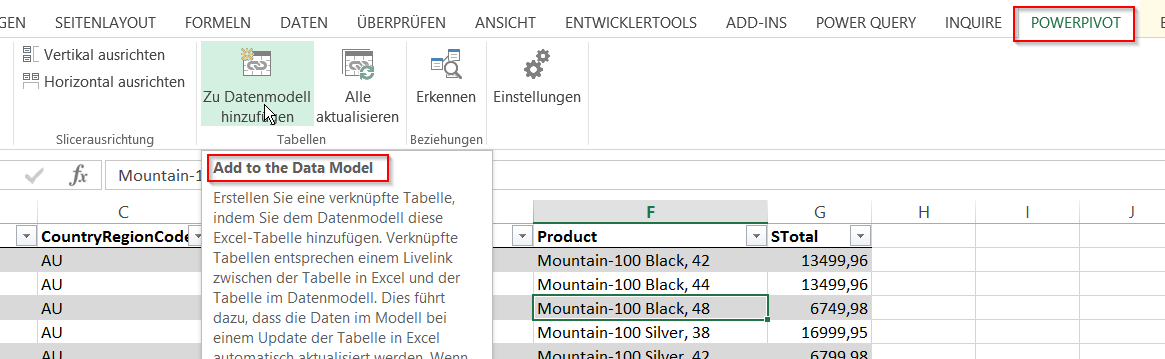

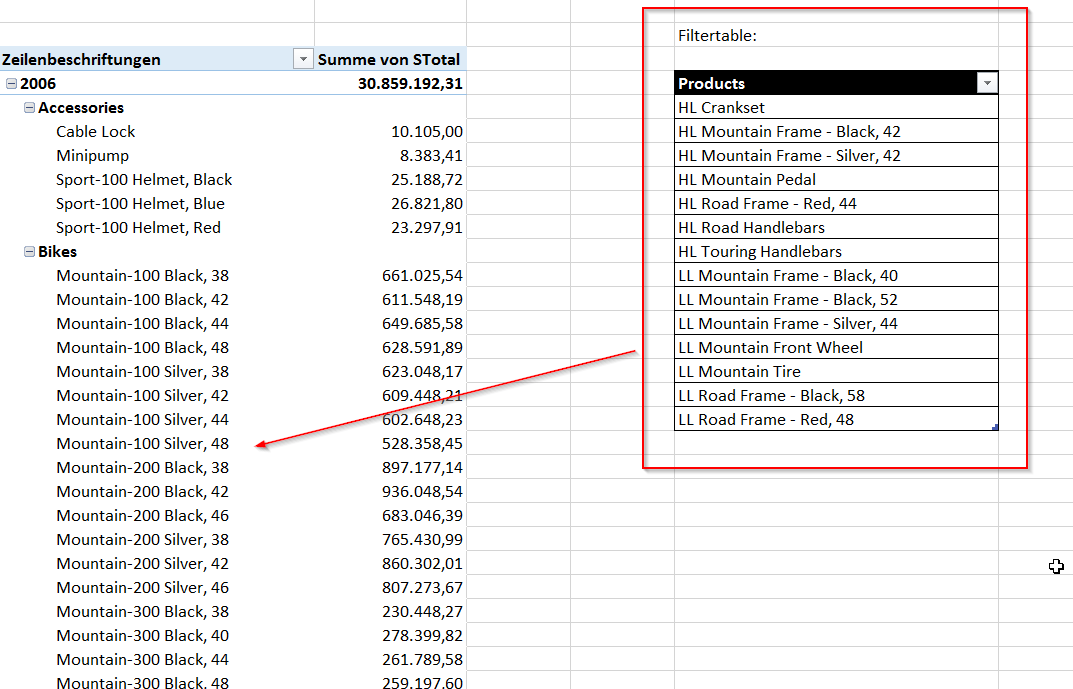
In order to pass a list of filter arguments to your pivot table instead of selecting them all manually you can do the following:
1) Pass your filter table and your data table to the Data Model (Power Pivot):
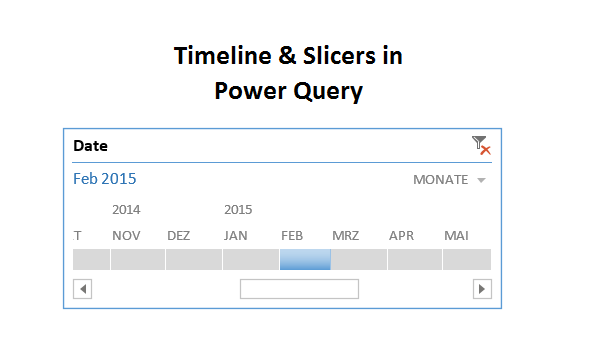
A question in the Mr. Excel forum this morning reminded me that the technique I’ve blogged about here could also be used to do simpler things like using a timeline slicer to filter your Power Query imports. So here’s a quick shot on this: Import your calendar table into the data model (load only) Create … Read more
Creating a Dimension table from a fact table using Power Query is really straightforward using the Remove Duplicates function.
However – you might experience a problem if the key to your Dimension table that you’re extracting from the Fact table is text and not number format. Power Query is case sensitive and will consider “Car” and “car” as different, returning both after the remove duplicates step. Once you load this into your Power Pivot data model, it will be shown there as “Car” and “Car” or “car” and “car”, depending on which term was the first in the list (will always take the first one).
This further means that you will not be able to connect you new Dimension table to your Fact table as the Dimension table now has dups.
To overcome this (and because it might be good practice anyway):
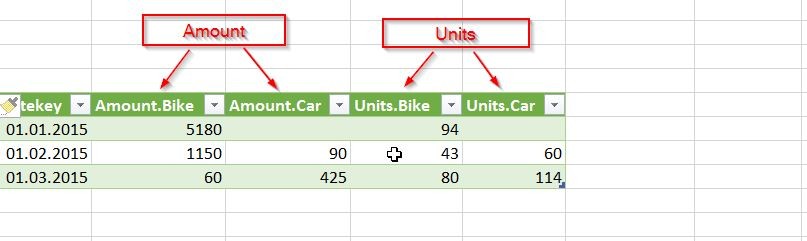
The pivot-function in Power Query lets you pivot your data within the query already. This comes in handy quite often when you want to further work on those results within the query. There’s not much to parametrise in the function, so the question is how to handle it when you want more than one measure/value to be returned.
Let’s say you have a table like this:
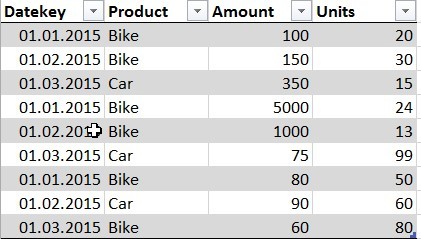
And it shall look like this:
Search Options in Power Pivot 1) In the Power Pivot window: Ctr+F acts as a metadata-search that not only finds strings in columns but also in measurenames 2) Want to search for strings within your measureformulas: Create a list of all your measures in an Excel-sheet using Dax-Studio: See this Blogpost