Conditions in FirstN, LastN and other xN-functions in M, PowerBI and Power Query

Today I discovered that we can use conditions in many of the N-selecting functions where one/I would normally expect just a number-expression for the N: Table.RemoveFirstN( table as table, optional countOrCondition as any) So apart from being able to select a certain number of rows to be removed, we can pass a condition (as function). This condition will … Read more

How to auto-parametrize your Power Query queries

This is about a technique that I’m going to use in my upcoming articles on ICT reconciliation. But as it is useful in other areas as well, it’s getting its own post here:

Say we want to pass the year and month as well as the type of accounts as filters/parameters into our reconciliation query. If our file is stored here:

C:\Users\Imke\Desktop\2015\08\\ICTRec201508_Transactions.xlsx,

we have everything we need. And when the next month comes, we even don’t have to adjust our query, as it will automatically take 09 as the months parameter, providing we store it in the correct folder.

Using: CELL(“filename”) will extract this information into the cell in Excel. Check this cell and pass it to Power Query (as table).
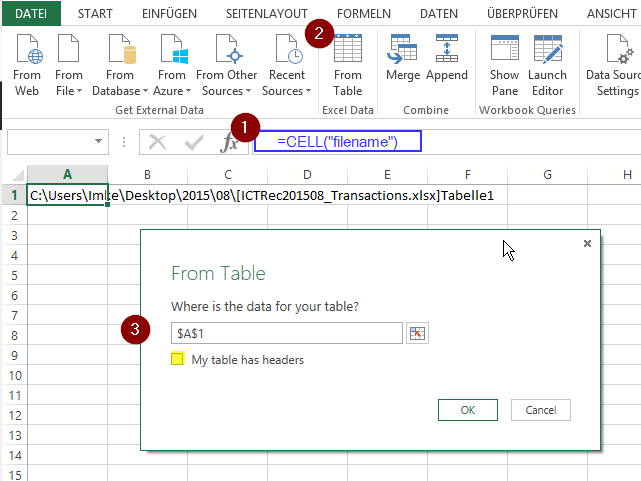
Image1

Now we just have to extract the relevant parts, using an ultracool ninja-trick I just picked up in the TechNet Forum:
Read more

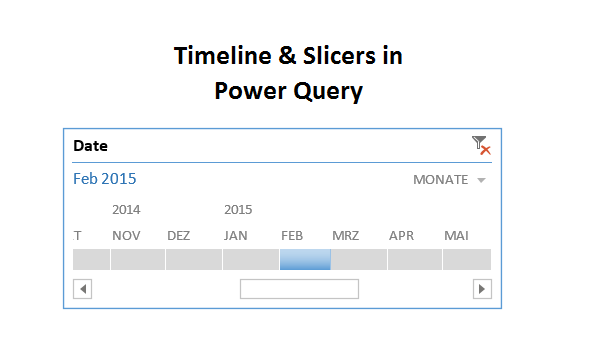
Use Timeline or Slicers to filter your Power Query import

A question in the Mr. Excel forum this morning reminded me that the technique I’ve blogged about here could also be used to do simpler things like using a timeline slicer to filter your Power Query imports. So here’s a quick shot on this: Import your calendar table into the data model (load only) Create … Read more