
If you’ve been following my blog for a while, you might have noticed my interest in incremental load workarounds. It took some time before we saw the native functionality for it in Power BI and it was first released for premium workspaces only. Fortunately, we now have it for shared workspaces / pro licenses as well and it is a real live saver for scenarios where the refresh speed is an issue.
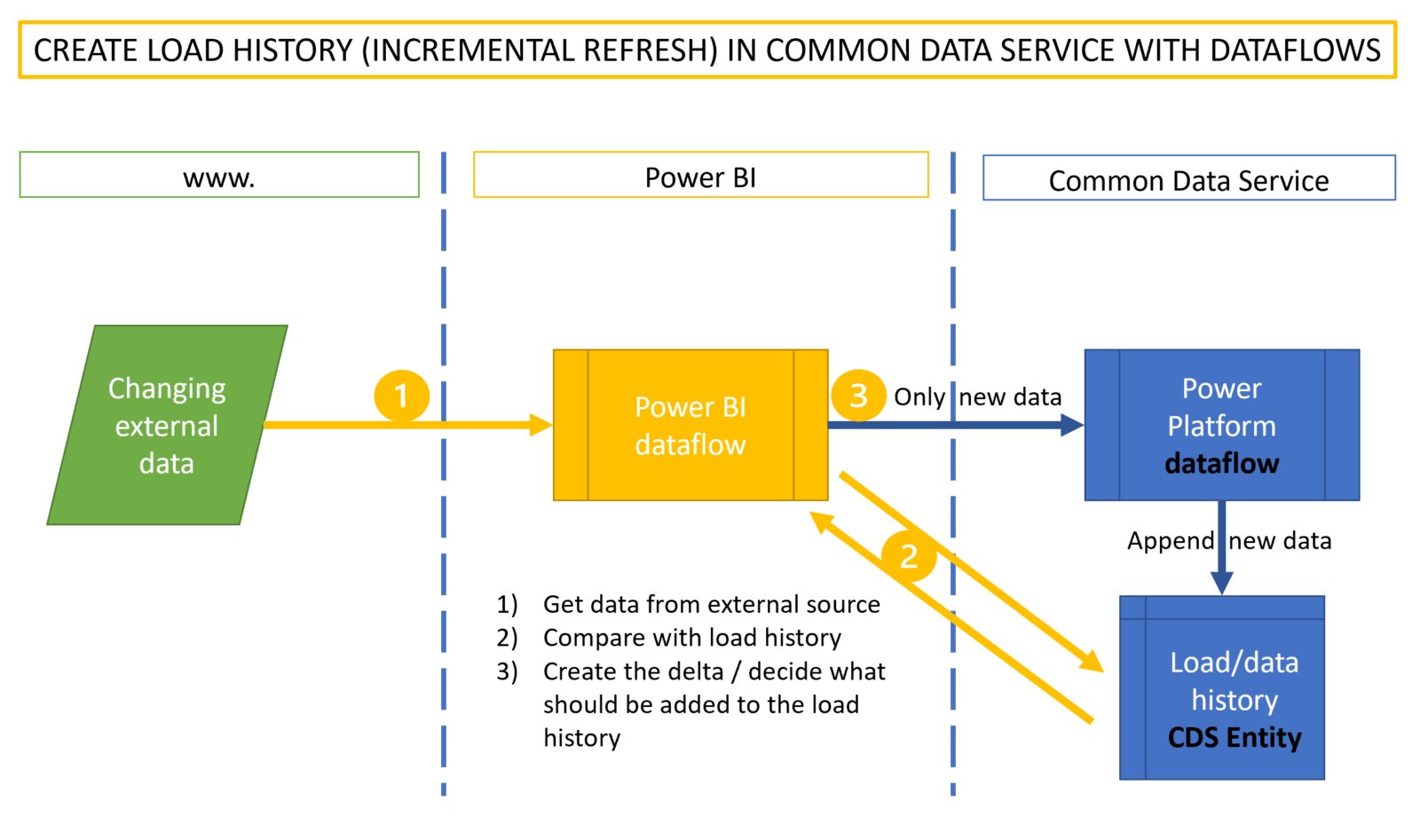
However, there is a second use case for incremental refresh scenarios that is not covered ideally with the current implementation. This is where the aim is to harvest and store data in Power BI that will become unavailable in their source in the future or one simply wants to create a track of changes in a data source. Chris Webb has beaten me to this article here and describes in great detail how that setup works. He also mentions that this is not a recommended setup, which I agree. Another disadvantage of that solution is that this harvested data is only available as a shared dataset instead of a “simple” table. This limits the use cases and might force you to set up these incremental refreshes in multiple datasets.