When you’re dealing with a beast like DAX you can use any help there is, right? So here I show you how you can debug DAX variables who contain tables or show the result of multiple variables at once. So you can easily compare them with each other to spot the reason for problems fast.
Please note, that currently only comma separated DAX code is supported.
Example
Watch this measure from Gerhard Brueckl’s brilliant solution for dynamic TopN clustering with others. It contains 5 variables who return tables and one variable with a scalar:
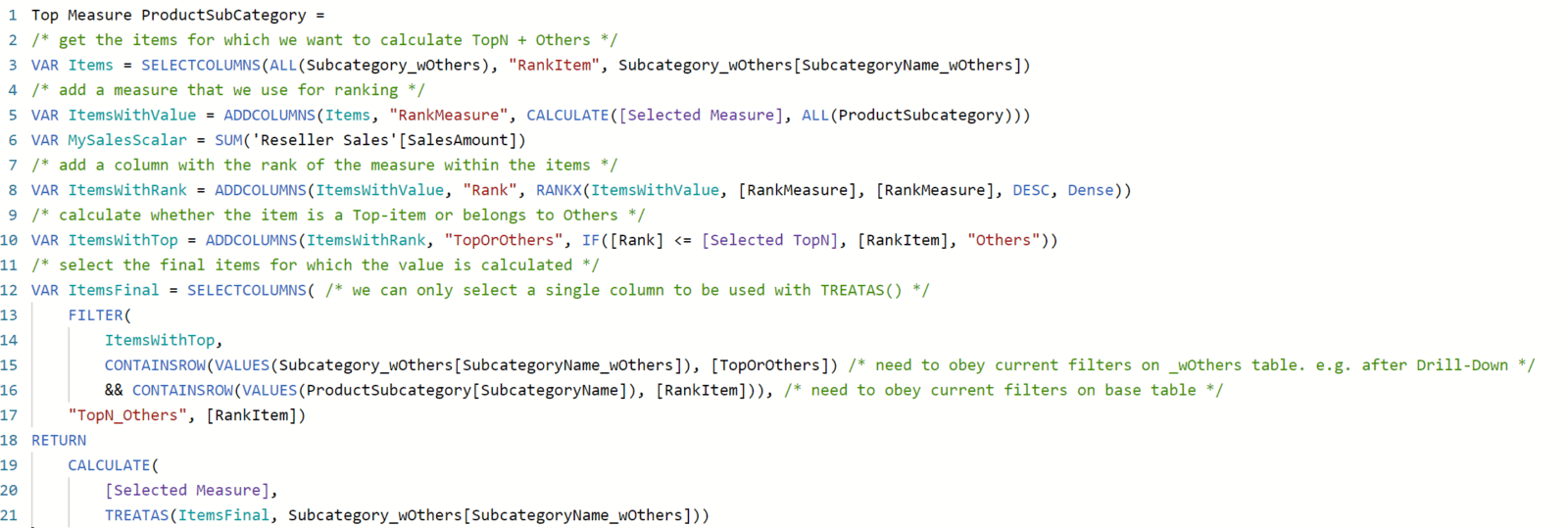
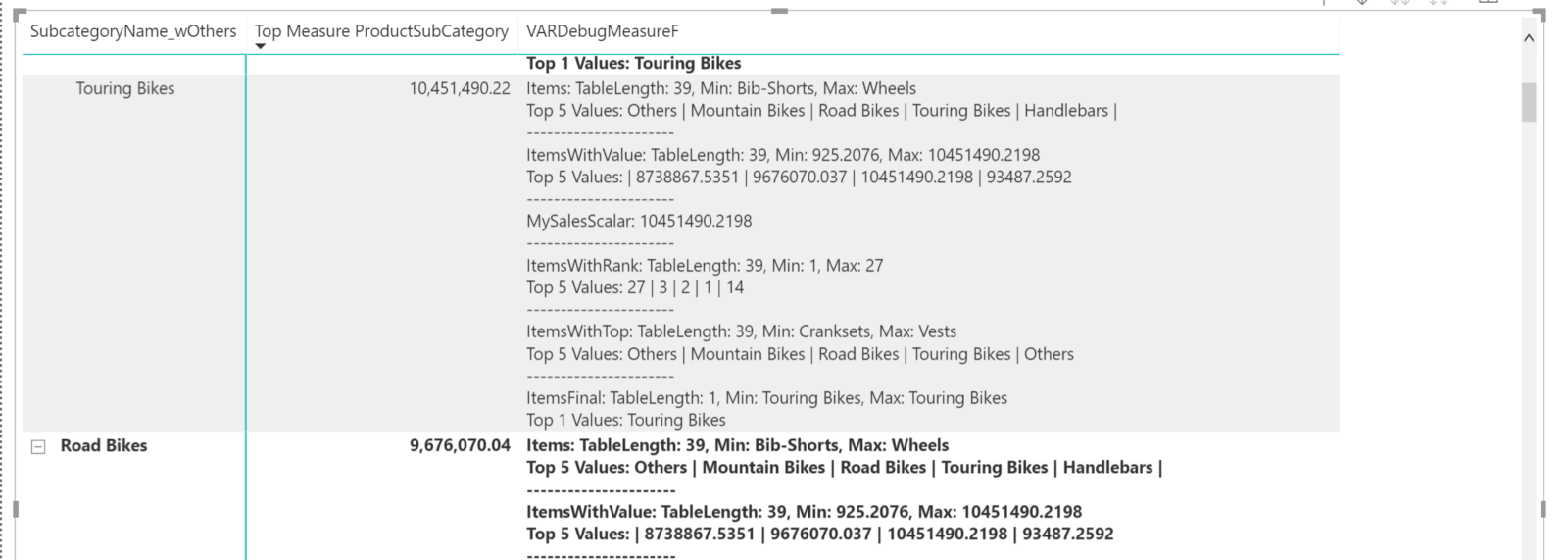
If you want to follow along how this calculation is evolving for each value in a matrix, my VarDebugMeasure will show details of every variable like so: