Easy POST requests with Power BI and Power Query using Json.FromValue

The function Json.FromValue provides a super-easy way to create POST-calls to web services that require JSON format in their body parameters. Background If you want to make a POST request to a web service through Power Query, you have to add the relevant data in the “Content”-parameter of the query (see Chris Webb’s article here for … Read more

Import data from multiple SharePoint lists at once in Power BI and Power Query

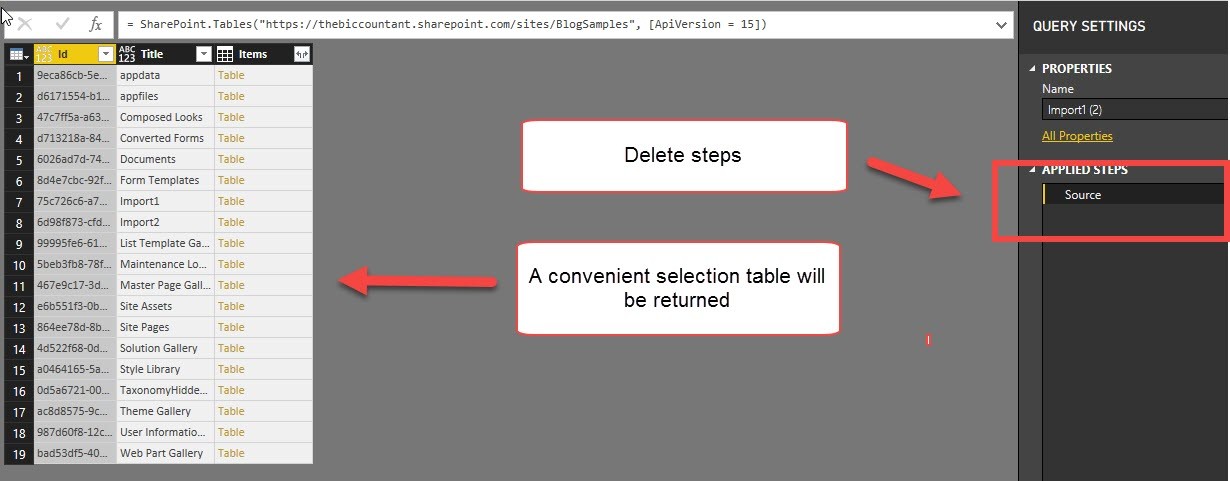
This is a quick walkthrough on how you can easily import multiple SharePoint lists at once, just like the import from folder method.

Start as usual

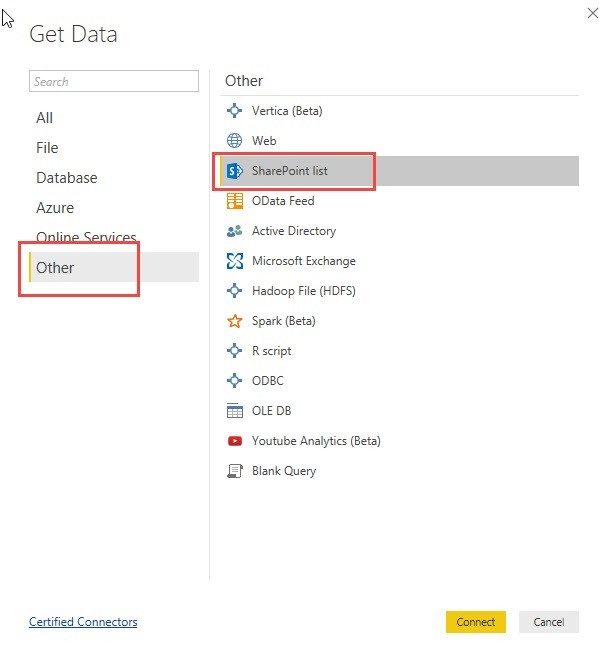
You start your import like this:

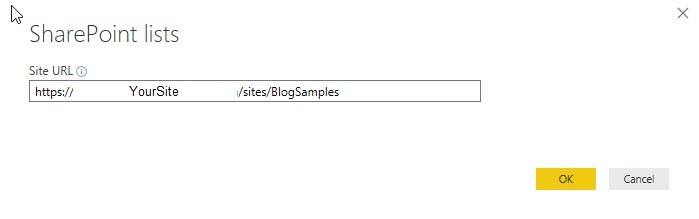
Pass the URL to the folder where your lists are located:

In the next step you would normally choose all the multiple SharePoint lists you want to import:

Read more

Automatically create function record for Expression.Evaluate in Power BI and Power Query

Some time ago I wrote a blogpost on how to create a function library in Power BI or Power Query (http://www.thebiccountant.com/2017/08/27/how-to-create-and-use-r-function-library-in-power-bi/). There I also presented a way to pull that function code automatically from GitHub.

Problem

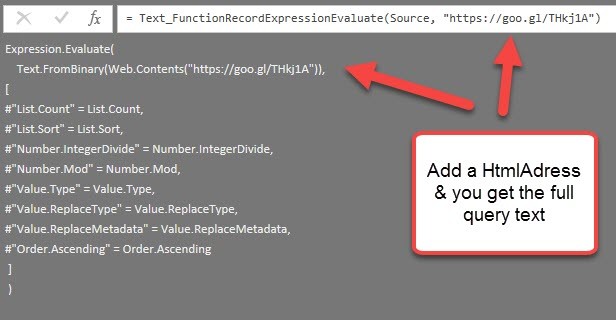
In that code I used the function Expression.Evaluate to execute the imported text and create functions from it. The inbuilt functions that I’ve used in that code have to be passed as an environment record at the end of the expression. I’ve used #shared for it, as this returns a record with all native M-functions and is quick and easy to write (if environments are new to you, check out this series: https://ssbi-blog.de/the-environment-concept-in-m-for-power-query-and-power-bi-desktop/ ). But as it turns out, this can cause problems when publishing to the service unfortunately (https://social.technet.microsoft.com/Forums/ie/en-US/208b9365-91e9-4802-b737-de00bf027e2a/alternative-calling-function-with-text-string?forum=powerquery – please leave a vote if you would like to use #shared in the service as well).

Solution

Read more

RegEx in Power BI and Power Query in Excel with Java Script

From time to time Huang Caiguang sends me some geeky M-code that turns out to be very useful (like this for example). Today it’s utilizing java script code for RegEx (regular expressions): The Web.Page function can execute JS code and you can pass strings from you M-environment to it with simple string concatenation. So escape … Read more

Web Scraping 2: Scrape multiple pages at once and refresh in Power BI service

In the first post of this series I’ve explained how to simultaneously load and combine multiple (similar structured) tables from ONE PAGE. This post handles the other direction, how to combine tables from DIFFERENT PAGES into one (or to scrape multiple webpages at once). Overview Theoretically, this is quite a simple process: Create a query that fetches and transforms … Read more

A generic SWITCH-function for the query editor in Power BI and Power Query

Although you can easily replicate the DAX SWITCH-function via list-, table- or record functions in M, I thought it would be convenient for many newbies to have a comfortable M-SWITCH-function that uses (almost) the same syntax than its DAX-equivalent:

SWITCH (
[Month],
    1“January”,
    2“February”,
    3“March”,
    4“April”,
    5“May”,
    6“June”,
    7“July”,
    8“August”,
    9“September”,
    10“October”,
    11“November”,
    12“December”,
    “Unknown month number”
)
DAX Formatter by SQLBI

The DAX-SWITCH-function will retrieve the content of its first argument (expression) ([Month]) and check it against he first parameters of the following pairs (value). If there is a match, the second parameter of the pairs (result, here: month name) is returned and if there is no match, “Unknown month number” will be returned.

How it works

The syntax for the M-function looks like so:

Read more