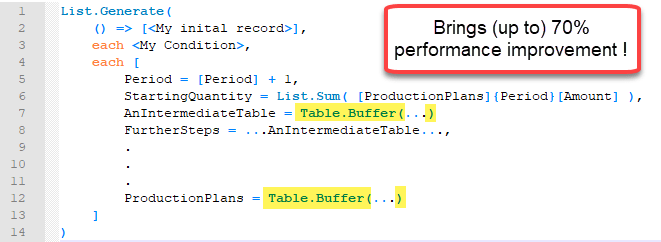
Performance tip for List.Generate (1): Buffer your tables in Power BI and Power Query

Lately I was working on a fairly advanced allocation algorithm on large data which forced me to search for different tricks to improve performance than those that you can find on my site here already. Background I was using List.Generate to check for every month in my table, if there was enough free capacity on … Read more

How to do a real VLOOKUP (false) in Power Query or Power BI

When you merge tables with distinct keys in Power Query you will get the same result than the VLOOKUP-function in Excel returns (if this is new to you, check out this article for example: https://www.myonlinetraininghub.com/excel-power-query-vlookup) . But how to retrieve only the result of the first row, if the lookup-table has multiple rows with the … Read more

Improve import of Excel sheets with empty rows and columns in Power Query and Power BI

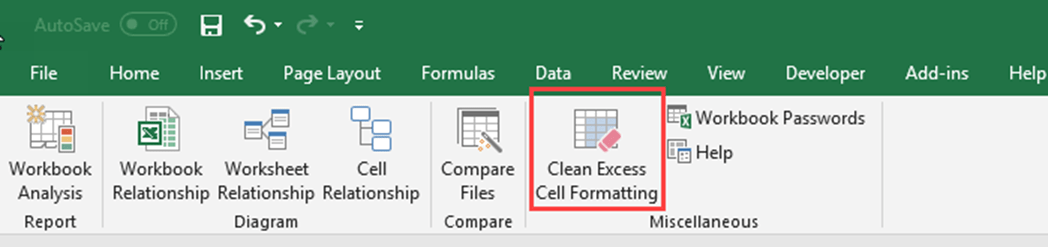
When you import Excel sheets who have empty leading or trailing columns and rows (showing null-values), you can substantially improve the complexity and speed of your import process with a simple trick: Remove the reasons for the empty trailing rows and columns 😉 Background Usually, when you import data from an Excel sheet, Power Query … Read more

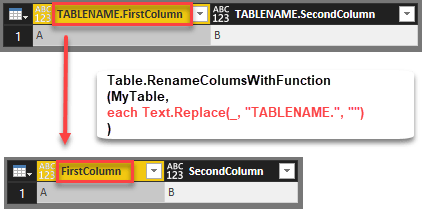
Efficiently rename columns with a function in Power BI and Power Query

Edit 2018-July-05: As it turns out I’ve missed the native function that exists with exact the same functionality: Table.TransformColumnNames Thanks to Tristan Malherbe for pointing this out 🙂 But anyway: If you want to understand what it does and how you could have written it by yourself – read along: The standard function to rename … Read more

Import data from multiple SharePoint lists at once in Power BI and Power Query

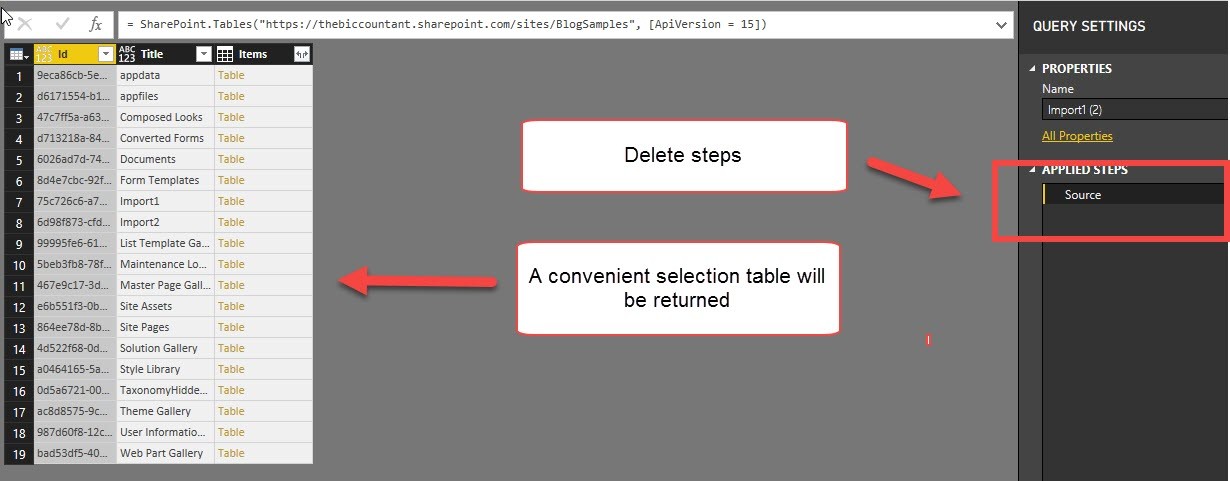
This is a quick walkthrough on how you can easily import multiple SharePoint lists at once, just like the import from folder method.

Start as usual

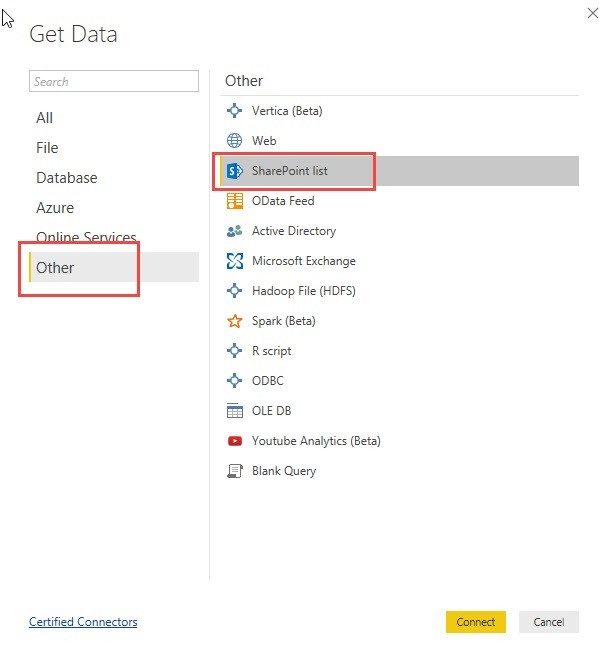
You start your import like this:

Pass the URL to the folder where your lists are located:

In the next step you would normally choose all the multiple SharePoint lists you want to import:

Read more

Permutations table in Power BI or Power Query in Excel

Today my husband came with a special task to me: He had to re-wire an old instrument on board of our sailing boat and “lost” the original matching instructions. There were 4 cables to go into 4 different holes, which left him with 24 possible combinations. So he needed a permutations table with all possible combinations that he could print out and tick each combination that he would try subsequently:

To be honest, he was quicker in creating the permutations table manually in Excel than me in Power Query, as it took me a while to develop an easy enough algorithm. But the technique I came out with at the end is so typical “Power Query”-ish, that I’m going to share it here:

The Video

The Function

Here comes the function code:

Read more