Stretching and Compressing Time Series with Power Query and Power BI

The good folks from SumProduct have published a challenge for Excel that I find worth doing in Power Query instead:

The Challenge

Stretching or compressing a forecast so that the proportion of the original series will be maintained:

The Function

This is not so easy mathematically (as the solution-blogpost explains in detail), so the code for the function isn’t short as well:

Read more

RegEx in Power BI and Power Query in Excel with Java Script

From time to time Huang Caiguang sends me some geeky M-code that turns out to be very useful (like this for example). Today it’s utilizing java script code for RegEx (regular expressions): The Web.Page function can execute JS code and you can pass strings from you M-environment to it with simple string concatenation. So escape … Read more

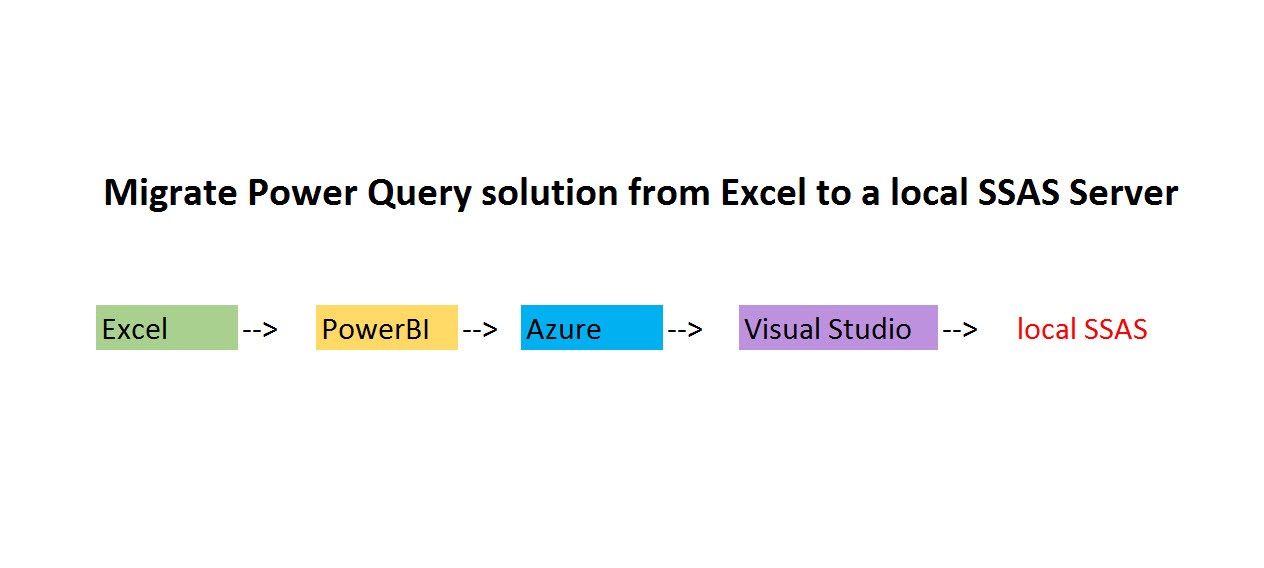
Migrate a Power Query or Power BI file to a local SSAS instance

Edit: This feature has been deprecated since 1st March 2019 unfortunately: https://azure.microsoft.com/en-us/updates/azure-analysis-services-web-designer-to-be-discontinued/ – Microsoft is working on replacement of the functionality to move pbix-files to SSAS-instances, but no solution yet. In Visual Studio there is a wizard to migrate an Excel Power Pivot model to a SSAS model. But this will not bring over the M-queries … Read more

GuestPost: Newbie to Newbie Learning M-Language as your first Programming Language

Foreword from Imke: “Happy to publish my 2nd guest post here: I met Rafael Knuth in the Technet-forum where it was a joy to see how quickly he was set on fire by the M-language. When he vented the idea about starting a newbie-to-newbie-series where he would share his learning experiences and perspectives as an “Excel-guy”, I was quick enough to engage him for an intro on my site. As it turns out, he is a VERY talented communicator as well, but just see for yourself”:

I’m just a regular corporate marketing guy in his late forties with no formal programming education. However, one day I woke up and decided to teach myself to code. I had no plan whatsoever, and my learning journey was anything but a carefully planned venue. It was rather accidental fumbling & stumbling, accompanied by loads of frustrations, with frequent, prolonged breaks to recover from my failed attempts to teach myself to code.

What makes learning to code so hard?

These are the main obstacles in my views:

1) Lack of time
As a professional in a corporate environment, it’s nearly impossible to put 20 hours a week aside to teach yourself a new skill from scratch, without major sacrifices in other areas of your life.

2) Your brain’s “wrong” wiring
What makes learning so hard is the amount of knowledge you have to unlearn: “Why is my program not doing what I expect?” Because you set the wrong expectations. Rewire your brain.

3) Complexity of the subject
Coding is a hard piece of candy, bluntly speaking. There is good reason why there’s such a dramatic undersupply with good developers.

4) Lack of applicability of your knowledge
So, you did that course on Python at Codecademy. How do you put your newly acquired skills at work? Unless you prove me wrong, my answer is: Not at all.

5) Unrealistic expectations
Become a Data Scientist in a 6 month bootcamp. You will find tons of offerings like that. So, basically what it says, is: “You can be smarter than all those guys who put years and years into studying programming, mathematics, acquiring PHDs – just join our course and you’ll get there in no time.” Good luck with that.

Microsoft M-Language comes to your rescue

Read more

Web Scraping 2: Scrape multiple pages at once and refresh in Power BI service

In the first post of this series I’ve explained how to simultaneously load and combine multiple (similar structured) tables from ONE PAGE. This post handles the other direction, how to combine tables from DIFFERENT PAGES into one (or to scrape multiple webpages at once). Overview Theoretically, this is quite a simple process: Create a query that fetches and transforms … Read more

A generic SWITCH-function for the query editor in Power BI and Power Query

Although you can easily replicate the DAX SWITCH-function via list-, table- or record functions in M, I thought it would be convenient for many newbies to have a comfortable M-SWITCH-function that uses (almost) the same syntax than its DAX-equivalent:

SWITCH (
[Month],
    1“January”,
    2“February”,
    3“March”,
    4“April”,
    5“May”,
    6“June”,
    7“July”,
    8“August”,
    9“September”,
    10“October”,
    11“November”,
    12“December”,
    “Unknown month number”
)
DAX Formatter by SQLBI

The DAX-SWITCH-function will retrieve the content of its first argument (expression) ([Month]) and check it against he first parameters of the following pairs (value). If there is a match, the second parameter of the pairs (result, here: month name) is returned and if there is no match, “Unknown month number” will be returned.

How it works

The syntax for the M-function looks like so:

Read more