Efficiently rename columns with a function in Power BI and Power Query

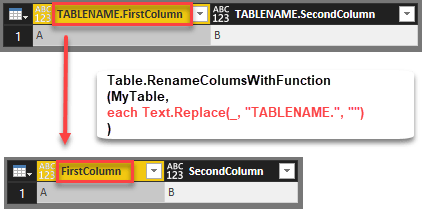
Edit 2018-July-05: As it turns out I’ve missed the native function that exists with exact the same functionality: Table.TransformColumnNames Thanks to Tristan Malherbe for pointing this out 🙂 But anyway: If you want to understand what it does and how you could have written it by yourself – read along: The standard function to rename … Read more

Automatically expand all fields from a JSON document in Power BI and Power Query

If you work with JSON documents that are new to you, it can be very helpful to fully expand JSON to see at a glance what’s in there. The following function has you covered for this task. It returns a table with all values in column “Value” and additional columns describing where that value came … Read more

Easy POST requests with Power BI and Power Query using Json.FromValue

The function Json.FromValue provides a super-easy way to create POST-calls to web services that require JSON format in their body parameters. Background If you want to make a POST request to a web service through Power Query, you have to add the relevant data in the “Content”-parameter of the query (see Chris Webb’s article here for … Read more

Import data from multiple SharePoint lists at once in Power BI and Power Query

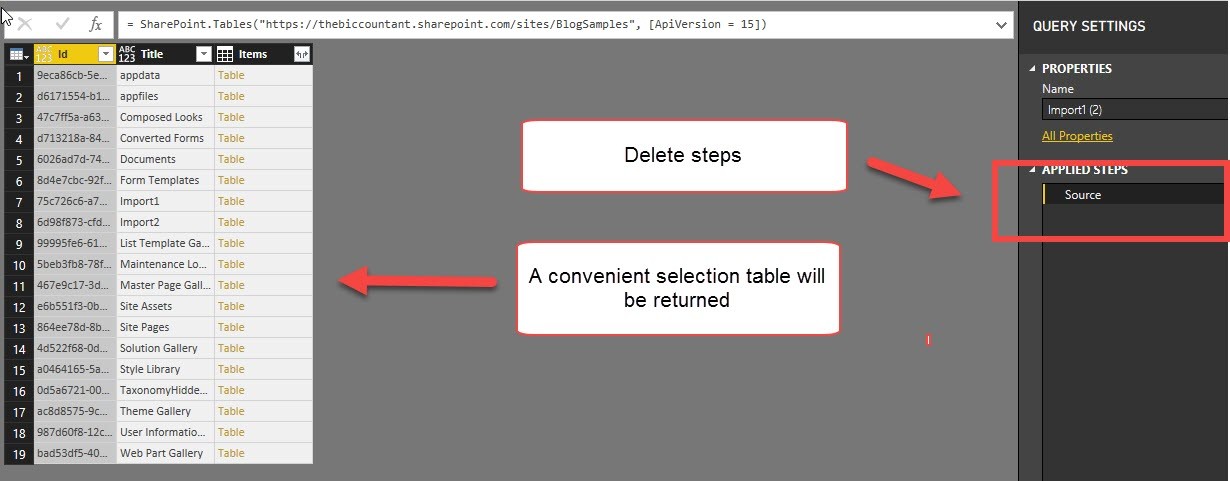
This is a quick walkthrough on how you can easily import multiple SharePoint lists at once, just like the import from folder method.

Start as usual

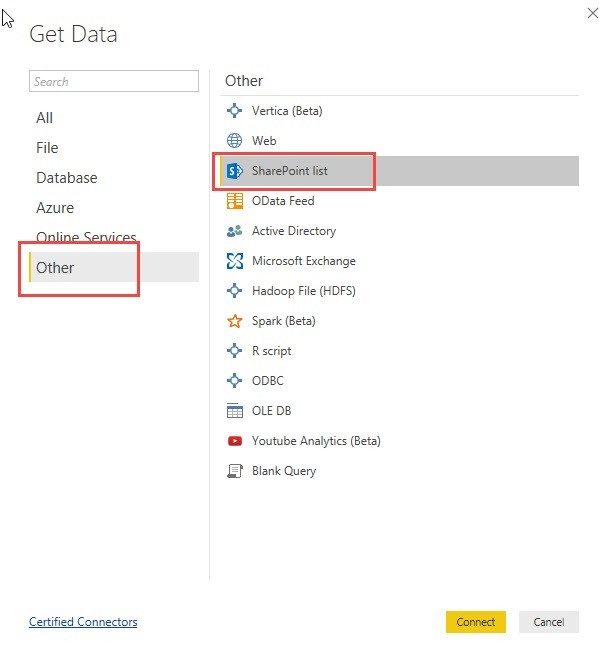
You start your import like this:

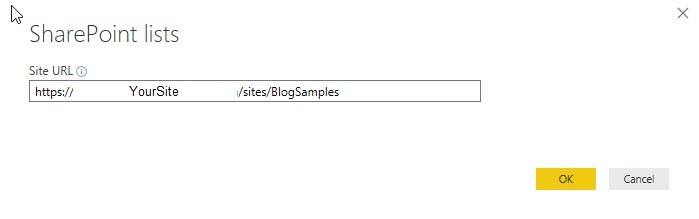
Pass the URL to the folder where your lists are located:

In the next step you would normally choose all the multiple SharePoint lists you want to import:

Read more

Automatically create function record for Expression.Evaluate in Power BI and Power Query

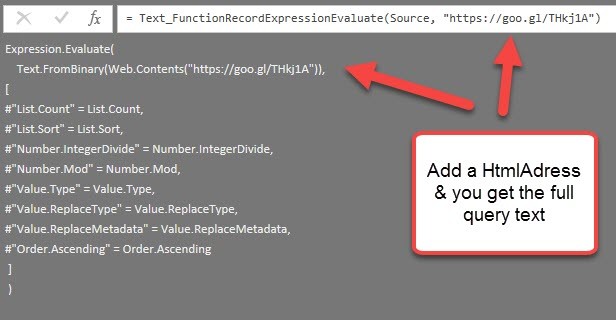
Some time ago I wrote a blogpost on how to create a function library in Power BI or Power Query (http://www.thebiccountant.com/2017/08/27/how-to-create-and-use-r-function-library-in-power-bi/). There I also presented a way to pull that function code automatically from GitHub.

Problem

In that code I used the function Expression.Evaluate to execute the imported text and create functions from it. The inbuilt functions that I’ve used in that code have to be passed as an environment record at the end of the expression. I’ve used #shared for it, as this returns a record with all native M-functions and is quick and easy to write (if environments are new to you, check out this series: https://ssbi-blog.de/the-environment-concept-in-m-for-power-query-and-power-bi-desktop/ ). But as it turns out, this can cause problems when publishing to the service unfortunately (https://social.technet.microsoft.com/Forums/ie/en-US/208b9365-91e9-4802-b737-de00bf027e2a/alternative-calling-function-with-text-string?forum=powerquery – please leave a vote if you would like to use #shared in the service as well).

Solution

Read more

Permutations table in Power BI or Power Query in Excel

Today my husband came with a special task to me: He had to re-wire an old instrument on board of our sailing boat and “lost” the original matching instructions. There were 4 cables to go into 4 different holes, which left him with 24 possible combinations. So he needed a permutations table with all possible combinations that he could print out and tick each combination that he would try subsequently:

To be honest, he was quicker in creating the permutations table manually in Excel than me in Power Query, as it took me a while to develop an easy enough algorithm. But the technique I came out with at the end is so typical “Power Query”-ish, that I’m going to share it here:

The Video

The Function

Here comes the function code:

Read more