
How not to miss the last page when paging with Power BI and Power Query

paging pagination Power Query

When you use an API with a paging mechanism (like the example from this blogpost), you’ll might work with a field that contains the address for the next page. You can use this to walk through the available chunks until you reach the last element. That last element in the pagination will not contain a next-field or that field will be null.

Paging in Power Query

In Power Query you can use the function List.Generate for it. According the latest function documentation it:

Generates a list of values given four functions that generate the initial value initial, test against a condition condition, and if successful select the result and generate the next value next.

So an intuitive implementation would look like so:

paging pagination Power Query
Initial code for paging: Will miss the last element

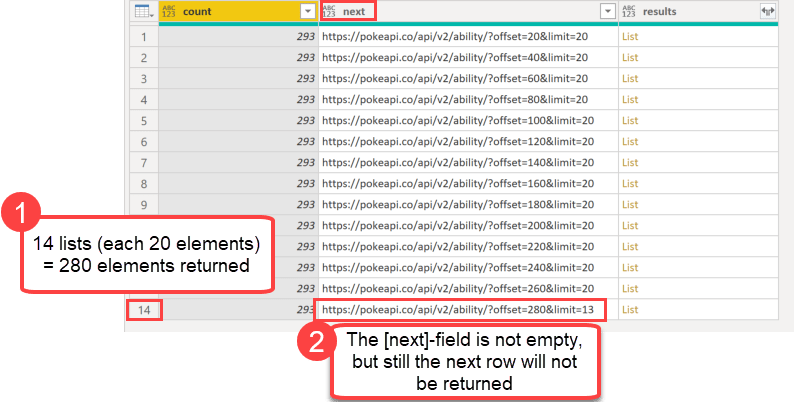
In the initial step (row 2) the API will be called and returns this record:
Read more

Automatically detect and change the types of all columns at once in Power Query

Today I want to share quick tip on how to automatically detect and change all column types at once in Power Query. Background Very often, when you expand a column in Power Query that contains a table or some records, the expanded columns will lose their types (like Chris Webb has described here for example). … Read more

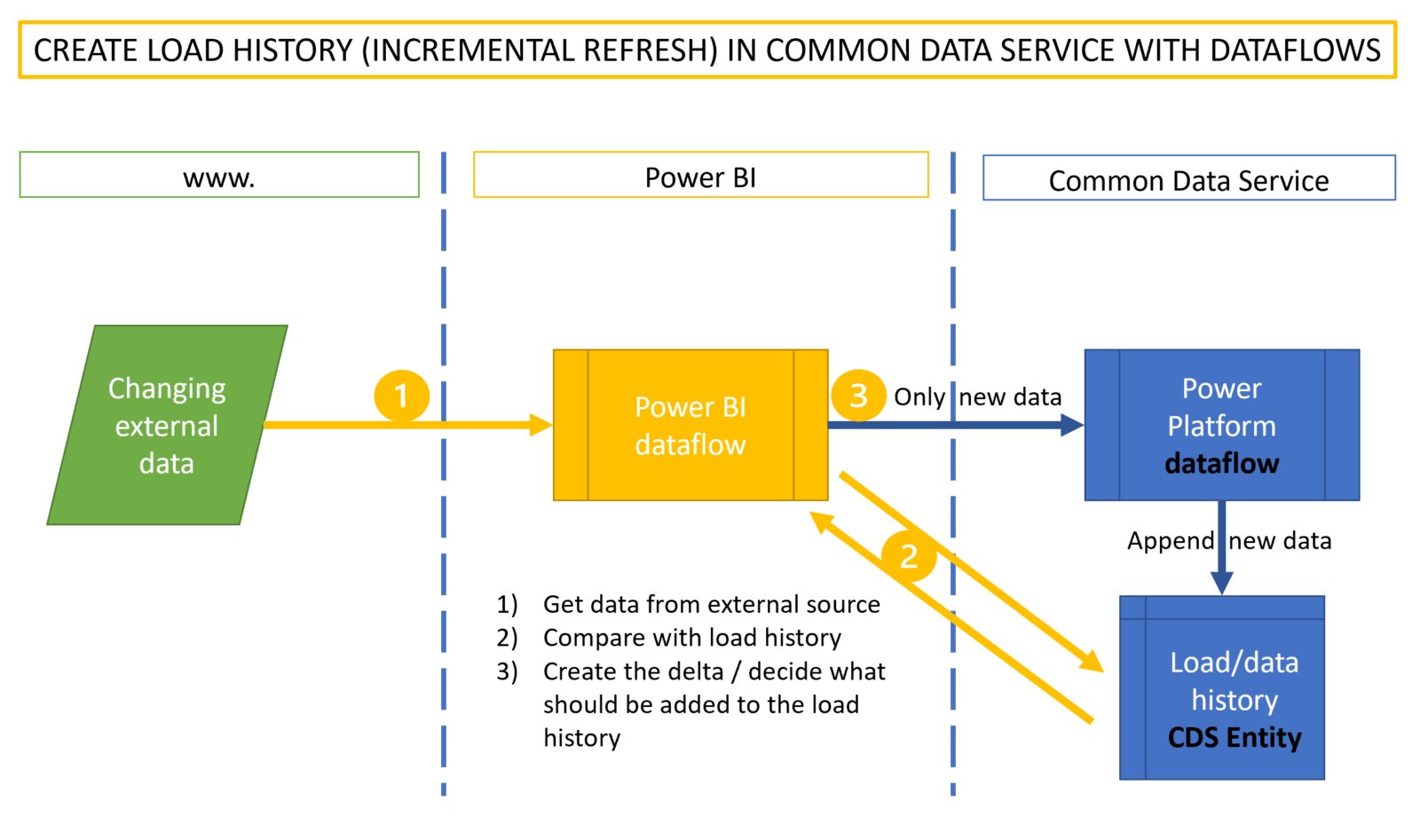
Create a load history or stage in CDS instead of incremental load in Power BI

If you’ve been following my blog for a while, you might have noticed my interest in incremental load workarounds. It took some time before we saw the native functionality for it in Power BI and it was first released for premium workspaces only. Fortunately, we now have it for shared workspaces / pro licenses as well and it is a real live saver for scenarios where the refresh speed is an issue.

However, there is a second use case for incremental refresh scenarios that is not covered ideally with the current implementation. This is where the aim is to harvest and store data in Power BI that will become unavailable in their source in the future or one simply wants to create a track of changes in a data source. Chris Webb has beaten me to this article here and describes in great detail how that setup works. He also mentions that this is not a recommended setup, which I agree. Another disadvantage of that solution is that this harvested data is only available as a shared dataset instead of a “simple” table. This limits the use cases and might force you to set up these incremental refreshes in multiple datasets.

Read more

Power BI “Store datasets in enhanced metadata format” warning

Edit October 2020: This feature is now generally rolled out, so there is no way to go back to the old format any more. From what I’ve heard, the problems described in the article below don’t occur any more.

This is just a quick heads up for the new preview feature “Store datasets in enhanced metadata format“. You should definitely think twice before turning this feature on:

Background

With the march release came function “Store datasets in enhanced metadata format”. With this feature turned on, Power BI data models will be stored in the same format than Analysis Services Tabular models. This means that they inherit the same amazing options, that this open-platform connectivity enables.

Limitations and their consequences

But with the current setup, you could end up with a non-working file which you would have to build up from scratch for many parts. So make sure to fully read the documentation . Now!

In there you find this warning:Store datasets in enhanced metadata format

Warning for the new enhanced metadata format

Read more

Tips to download files from webpages in Power Query and Power BI

When downloading data from the web, it’s often best to grab the data from APIs that are designed for machine-to-machine communication than from the site that’s actually visible on the screen. Not only is the download usually faster, but you also often get more additional parameters that can be very useful. In this article I’m going to show you how to retrieve the relevant URLs for downloading files from webpages (without resorting to external tools like Fiddler) and how to tweak them to your needs.

Retrieving the URL to download files from webpages

Say I want to download historical stock prices from this webpage:

https://finance.yahoo.com/quote/AAPL/history?p=AAPL

The screen will show a link to a download:

Read more

Trimming text with custom characters in Power BI and Power Query

When cleaning dirty data, you might have used the Trim-function (Text.TrimStart or Text.TrimEnd) to delete leading or trailing whitespace from your strings. However, did you know that you could use these functions as well to delete any other characters as well from the start or end of a string? Trimming text with custom characters is … Read more
