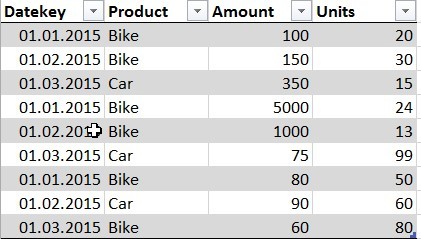
Creating a Dimension table from a fact table using Power Query is really straightforward using the Remove Duplicates function.
However – you might experience a problem if the key to your Dimension table that you’re extracting from the Fact table is text and not number format. Power Query is case sensitive and will consider “Car” and “car” as different, returning both after the remove duplicates step. Once you load this into your Power Pivot data model, it will be shown there as “Car” and “Car” or “car” and “car”, depending on which term was the first in the list (will always take the first one).
This further means that you will not be able to connect you new Dimension table to your Fact table as the Dimension table now has dups.
To overcome this (and because it might be good practice anyway):