
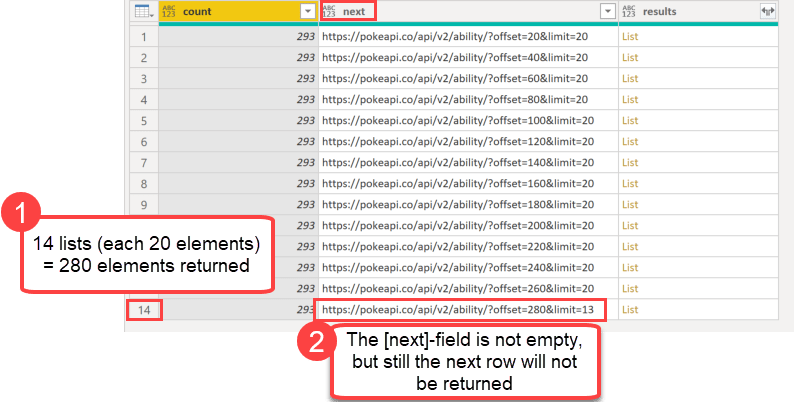
When you use an API with a paging mechanism (like the example from this blogpost), you’ll might work with a field that contains the address for the next page. You can use this to walk through the available chunks until you reach the last element. That last element in the pagination will not contain a next-field or that field will be null.
Paging in Power Query
In Power Query you can use the function List.Generate for it. According the latest function documentation it:
Generates a list of values given four functions that generate the initial value
initial, test against a conditioncondition, and if successful select the result and generate the next valuenext.
So an intuitive implementation would look like so:

In the initial step (row 2) the API will be called and returns this record: