It’s downing a bit slowly on me how awesome the direct retrieval of DMVs in PowerBI and PowerQuery actually is. Just see how easy we can build a cool view of our memory consumption in PowerBI:
Left: Tables – Right: Columns
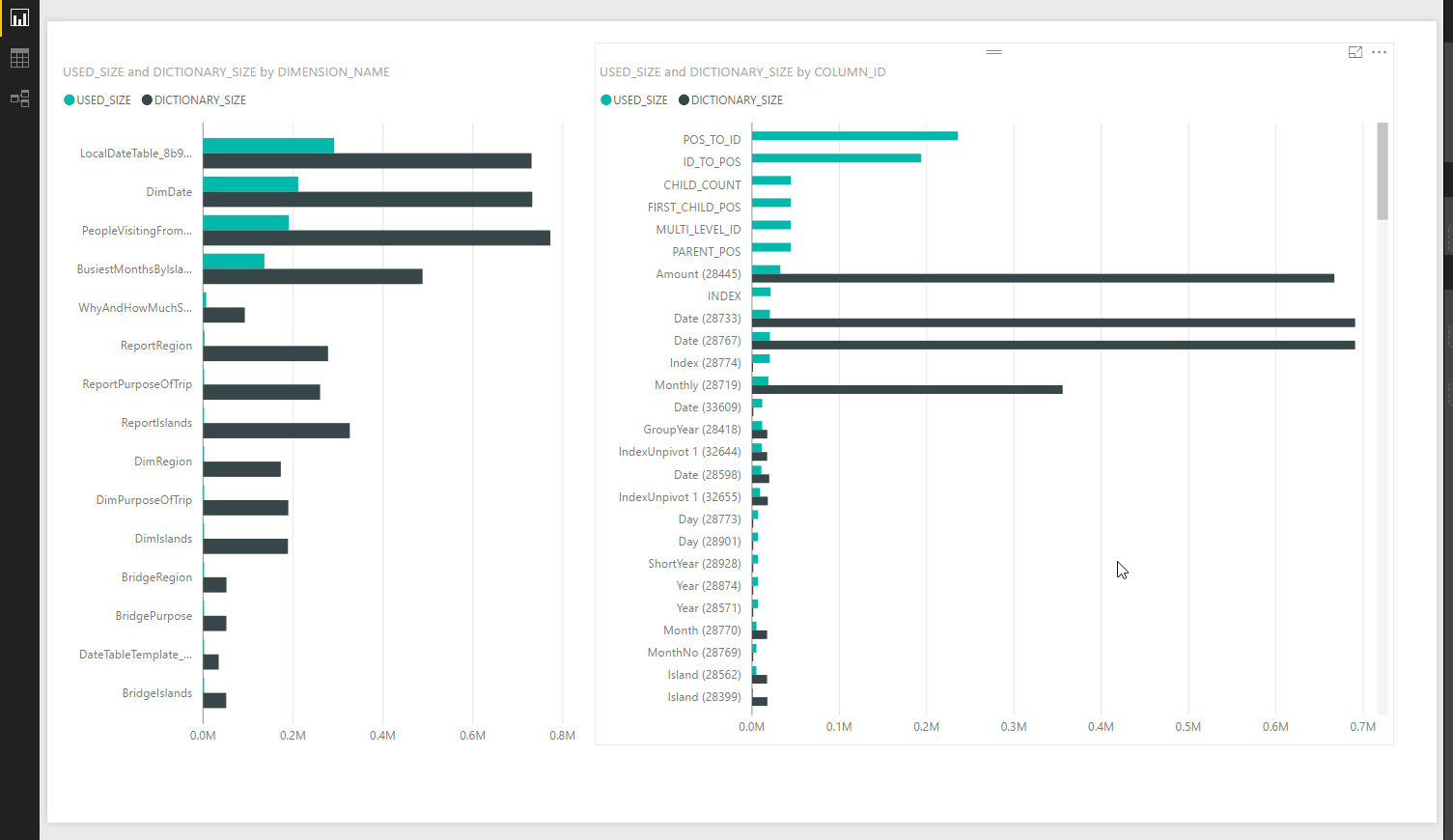

It’s downing a bit slowly on me how awesome the direct retrieval of DMVs in PowerBI and PowerQuery actually is. Just see how easy we can build a cool view of our memory consumption in PowerBI:
Left: Tables – Right: Columns
While the relationships view of the datamodel provides a very good overview which tables are connected to each other, one cannot see at a glance on which field they are connected to each other.
This is where a pivot table-view of the field-connections can be really helpful:
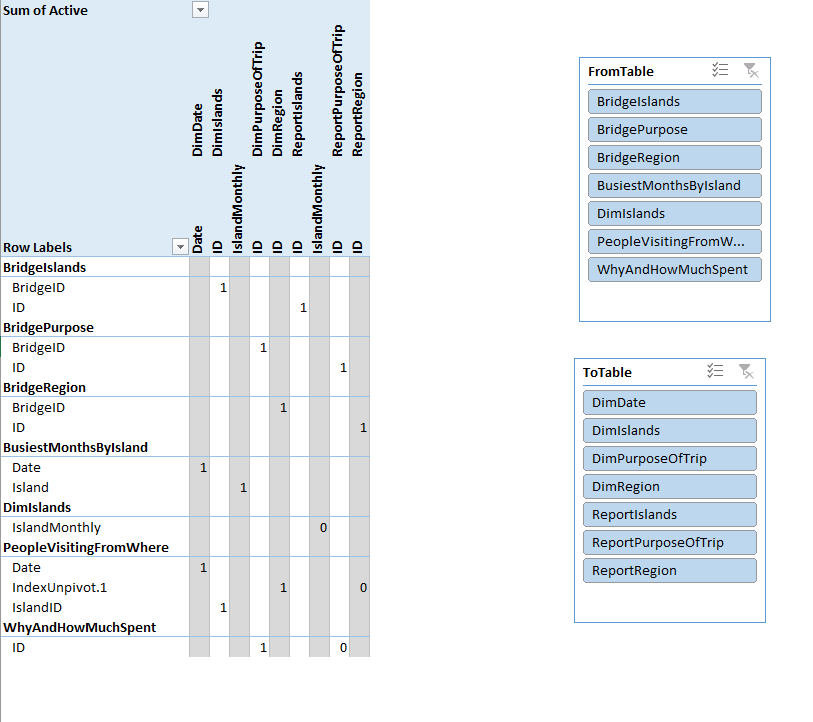
Here you see the tables on the many-side in the rows and in the columns are the tables on the one-side (of course you can change that). Add some slicers if your model is very large.
Recently I’ve distributed some techniques for partial matches or relative joins between tables using PowerQuery or the query editor in PowerBI. They are very flexible and powerful – yet slow.
To improve performance you can check if there is a chance to “partition” your table using a Table.Group. If you have an equality expression in your statement like we had in our rolling-12-months-exercise here for example:
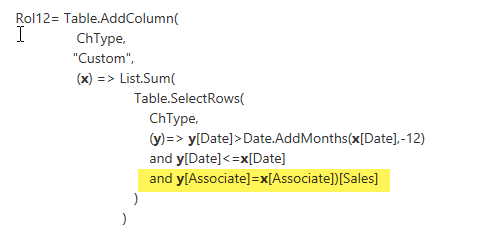
You can boost performance into a different dimension by grouping your table on the “Associate”-table instead like this:
After the great announcement yesterday that we will be able to ship custom functions within the shared environment, I’m expecting a lot of people starting to write awesome custom functions for M. Hopefully they will all have nice function descriptions/metadata shipped with them, that makes it as easy as possible for users to apply them correctly:

Reading Rob Collie’s latest cool blogpost on how to retrieve slicer selections in Power BI, I couldn’t stop thinking of how awesome it would be, if we could use this technique to pass slicer selections as query parameters to the M-queries in the query editor. Not only would we have a very convenient user interface, … Read more
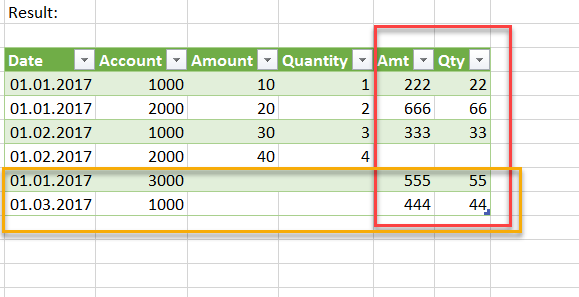
Today I came across a question in the PowerBI-forum if blending data was possible in Power BI like in Tableau. Although I wouldn’t necessarily recommend it, it’s definitely is a nice challenge. So the following function will interlace the rows from 2 tables like the blending-function in Tableau does. Just that we cannot use any aggregators … Read more