How Power Query can return clickable hyperlinks with friendly names to Excel

When you use Power Query as an Excel-automation-tool rather than just to feed the data model, you might want to return clickable hyperlinks that carry friendly names. This doesn’t work out of the box, but with a little tweak it will be fine:

The trick

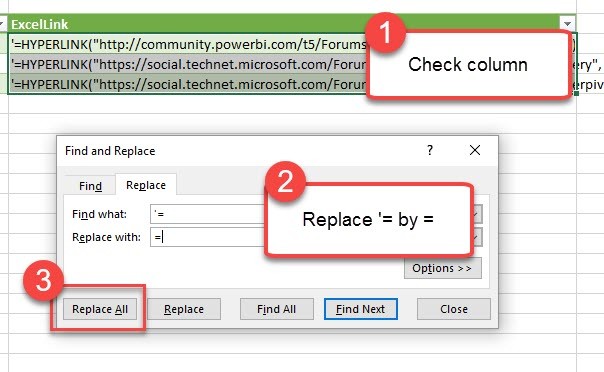
Return a text-string that contains the Excel (!)-formula for hyperlinks, preceded by an apostrophe  ‘ . After the data has been loaded to the sheet, check the column and replace ‘= by = to activate your Excel-formula:

Activate the HYPERLINK formula by replacing ‘= with =

You can then format the column to “Hyperlink”:

Read more

How to open a complex JSON record in Power BI and Power Query

Today I’ll show you a very useful technique how to deal with a JSON record that contains a wild mixture of different elements like this: If you click on one of the expandable elements, their content will be shown, but you’ll loose all the “surrounding” information (metadata) that is visible now. This is often an … Read more

Tips and Tricks for R scripts in the query editor in Power BI

Especially if you are new to R, there are some things one needs to know to successfully run R-scripts in the query editor of Power BI. I will share them here along with some tricks that made my R-life in Power BI easier:

How to get started – useful links:

Input:

You can feed multiple tables into the R-script

If you click the icon “R script”, the table from the previous step will automatically be passed as the “dataset” to the R-script. So if you don’t fill in any R-code, this will happen:

image

But if you need the content from other tables as well, you just add them into the square brackets like this:

image

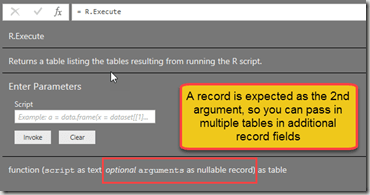
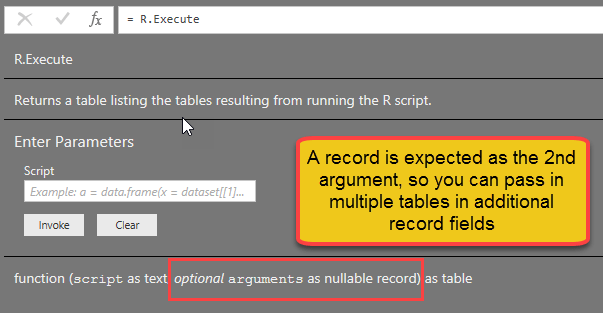
“Documentation” looks like this:

image

You can use parameters in the R-script

Apart from tables, you can also use text strings as parameters in the script. They need to be inserted into the code with preceeding “& and trailing &”:

RExportCsv= R.Execute(“write.csv(dataset,” “&CsvExportPath&” “)”,[dataset=Actuals])

Beware that they must be text. So if you want to pass a number, wrap it into Text.From(…).

You cannot use anything else apart from tables and parameters in the R-script

Well, at least I haven’t managed it Smile

R-life gets easy-peasy if you use M-functions for your R-script

Read more

New M-function: Table.TransformColumnTypesToFirstRowsTypes for PowerBI and PowerQuery

The following function automatically transforms all columns to the types that have been detected in the cells of its first row. Provided they come as: Number, date or text (but you can add additional type conversions if you need them.). It also has some rough edges: If the first value is empty, the column will … Read more

How to expand a column that cannot be expanded in Power BI and Power Query in Excel

Especially when working with JSON-data, you might end up with a column that has elements of mixed types in it. The expand column – arrows will be missing, but some elements still need to be expanded, like here: But there is an easy way to fix it: Transform to expandable column Table.TransformColumns(Source, {{“Column1”, each if Value.Is(_, type list) … Read more