
Unravel cumulative totals to their initial elements in Power BI and Power Query

Recently I came across an interesting request where someone wanted to un-cumulate their quarterly YTD-figures (green) into their single quarters values (red) like so (“Unravel cumulative totals”):

Task
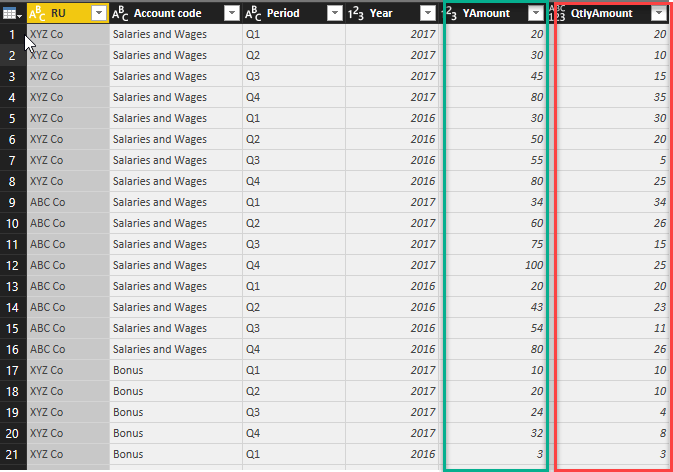
Retrieve every Quarters Amount from the Quarter To Date values (“YAmount”)

Method

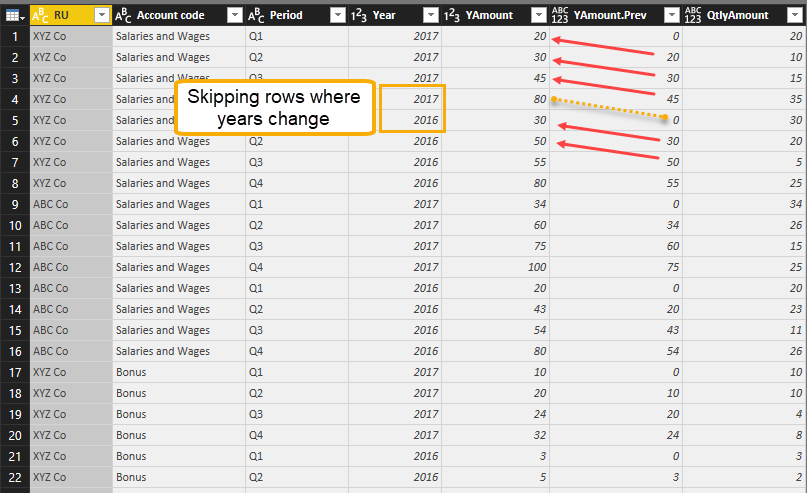
To retrieve this value, one would have to start with the first value in the year. This is also the value of the first quarter, but for the 2nd quarter, one would have to deduct the value of the first quarter from the cumulative value of the 2nd quarter. So basically retrieving the previous cumulative row and deduct it from the current cumulative row. Do this for every row, unless it’s the start of the year or belongs to a different account code in this example:
Read more

Comparing Table.AlternateRows with List.Alternate in Power BI and Power Query

I must admit that I had more than one unsuccessful attempt to try to fully understand how the List.Alternate-function works. What helped me at the end, was the function Table.AlternateRows. It pretends to be similar to List.Alternate, but holds some surprises that I will uncover in this blogpost: How Table.Alternate works Say I have the … Read more

Performance tip for List.Generate (1): Buffer your tables in Power BI and Power Query

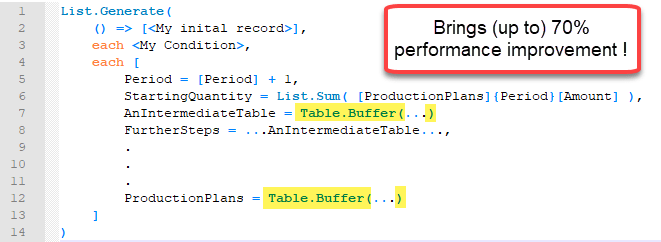
Lately I was working on a fairly advanced allocation algorithm on large data which forced me to search for different tricks to improve performance than those that you can find on my site here already. Background I was using List.Generate to check for every month in my table, if there was enough free capacity on … Read more

How to do a real VLOOKUP (false) in Power Query or Power BI

When you merge tables with distinct keys in Power Query you will get the same result than the VLOOKUP-function in Excel returns (if this is new to you, check out this article for example: https://www.myonlinetraininghub.com/excel-power-query-vlookup) . But how to retrieve only the result of the first row, if the lookup-table has multiple rows with the … Read more

Improve import of Excel sheets with empty rows and columns in Power Query and Power BI

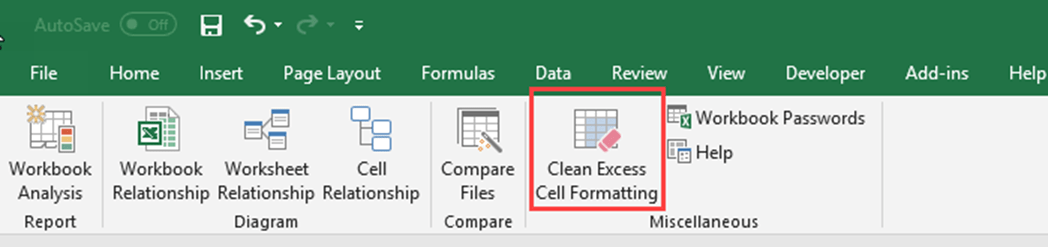
When you import Excel sheets who have empty leading or trailing columns and rows (showing null-values), you can substantially improve the complexity and speed of your import process with a simple trick: Remove the reasons for the empty trailing rows and columns 😉 Background Usually, when you import data from an Excel sheet, Power Query … Read more

Fast and easy way to reference previous or next rows in Power Query or Power BI

When you search the web for solutions to reference previous or next rows in the query editor of Power BI or Power Query, you will find many solutions that base on an added index-column. But the problem with these solutions on large tables is that performance will range between slow and extremely slow. In this … Read more