
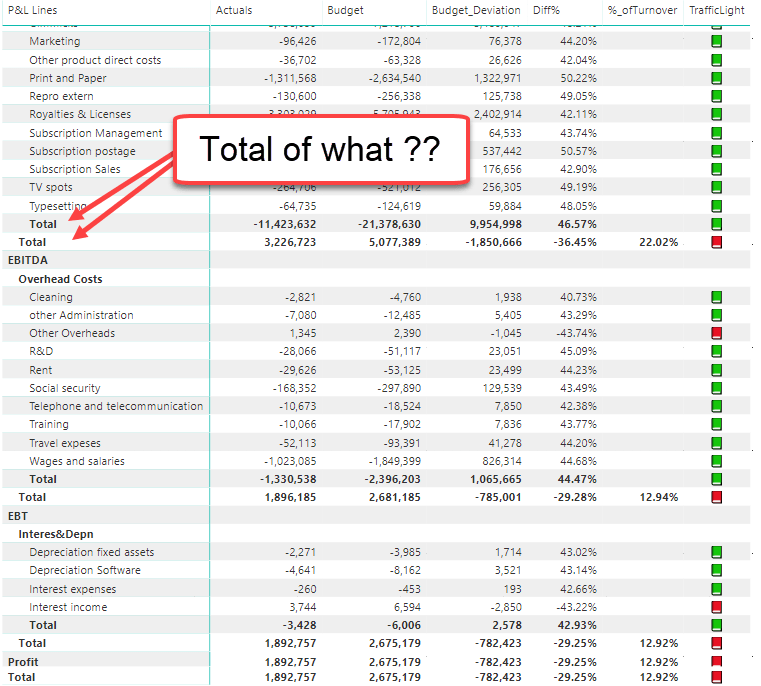
Why Power BI isn’t suitable for Financial Statements (… currently … hopefully …)

!! This is a clickbait post to get your vote for some missing features in Power BI !!

Although this might not be what the inventors of Power BI had in mind, large lots of folks are trying to create classical financial statements in it. And putting aside the afford that might go into getting the numbers right, there is still a major drawback to swallow:
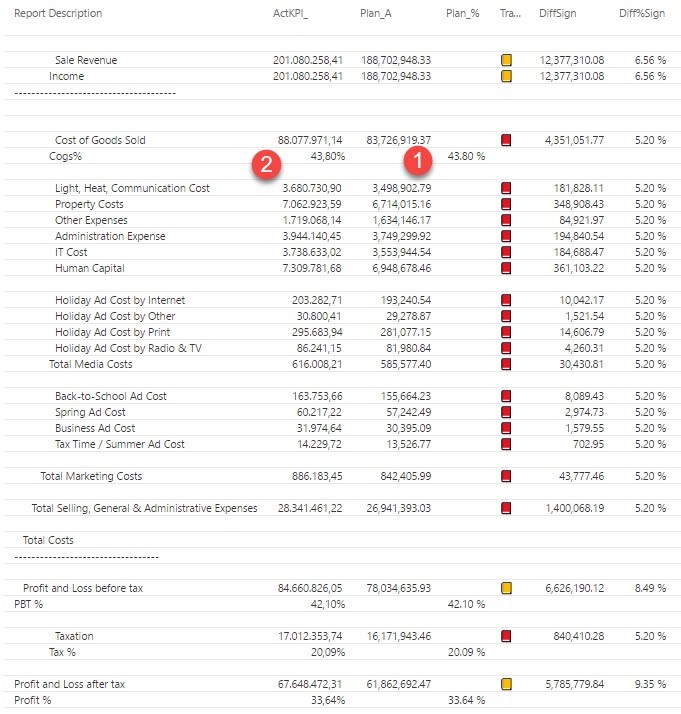
Read more

Memory efficient clustered running total in Power BI

Today I want to share a scenario where a running total calculation in the query editor saved a model that run out of memory when done with DAX:

Problem

The model couldn’t be refreshed and returned out of memory error with a calculated column in the fact table of over 20 Mio rows (from a csv-file). A running total should be calculated for each “JourneyID”, of which there were over 1 Mio in the table itself. This rose memory consumption during refresh by over 300 % – until it finally errored out:

Besetzung =
CALCULATE (
    SUM ( Fact[Entries] )
– SUM ( Fact[Exits] );
    FILTER (
        ALLEXCEPT ( Fact; Fact[JourneyID] );
Fact[StopId]
<= EARLIER ( Fact[StopId] )
    )
)

Solution

Read more

DAX evaluation context indicator with syntax highlighting

This is a post about a feature request, that definitely would make my life easier (and I guess others’ too):

Evaluation context and its transition is one of the hardest concepts in DAX and I would find it extremely helpful, if syntax highlighting would assist us here. Let the colour of the table name show whether the expression will be evaluated:

Read more

Right Aligning Text in Power BI: Format Improvements for Easy Profit&Loss Reports

Edit 14-Dec-2017: Now that we can right-align text measures in PowerBI, a SWITCH-measure like here: http://www.thebiccountant.com/2017/04/24/kpis-in-easy-profit-and-loss-for-powerbi/#comment-719 is the best alternative in my eyes. No need to read on 🙂

As shown in my last part of the Easy P&L-series, Power BI unfortunately still lacks some fundamental formatting options like:

  1. Right aligning text (please vote for it here: Right align text in Power BI – edit 15th Nov: We’re there: Right aligning text is available now: https://powerbi.microsoft.com/en-us/blog/power-bi-desktop-november-2017-feature-summary/)
  2. Display numbers in different formats within one column (either to be implemented as a “neutral” format for Switch-measures, where the referenced measures carry the formatting attributes already, or as a part of a formula-based conditional formatting) (Thanks Matt for the voting-link: Conditional format SWITCH measure)

So for the moment I choose between the following workaround-options:

  1. Display %-values in a separate column
  2. Format numbers as text and fill up with spaces so that all end up right aligned
  3. See the suggestion from Matt Allington in the comments below (very nice)

Right aligning text or percentage figure in new column

For both options the preparations are the same:

Read more

How to open a complex JSON record in Power BI and Power Query

Today I’ll show you a very useful technique how to deal with a JSON record that contains a wild mixture of different elements like this: If you click on one of the expandable elements, their content will be shown, but you’ll loose all the “surrounding” information (metadata) that is visible now. This is often an … Read more