Export data from Power BI to csv using Python

In this blogpost I show you my M-Python-function that I use to export data from Power BI to csv files (Export Python).

Why Python?

I prefer it to R mostly because I don’t have to create the csv-file(names) in advance before I import data to it. This is particularly important for scenarios where I want to append data to an existing file. The key for this task is NOT to use the append-option that Python offers, because M-scripts will be executed multiple times and this would create a total mess in my file. Instead I create a new file with the context to append and use the Import-from-folder method instead to stitch all csvs back together. Therefore I have to dynamically create new filenames for each import. So when the M-Python-scripts are executed repetitively here, the newly created file will just be overwritten – which doesn’t do any harm.
Read more

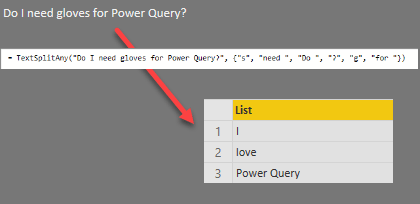
Improved Text.SplitAny – function for Power BI and Power Query

Today I’ll present an adjustment to the Text.SplitAny – function in Power BI’s query editor or Power Query. The native function takes a string as an input and splits the text by every character that is contained in the string. This seems fairly unusual to me and I haven’t used that function very often.

Problem

But what I have come across fairly often is the requirement to split a string by a bunch of different (whole) strings (instead of single characters).

Solution

Read more

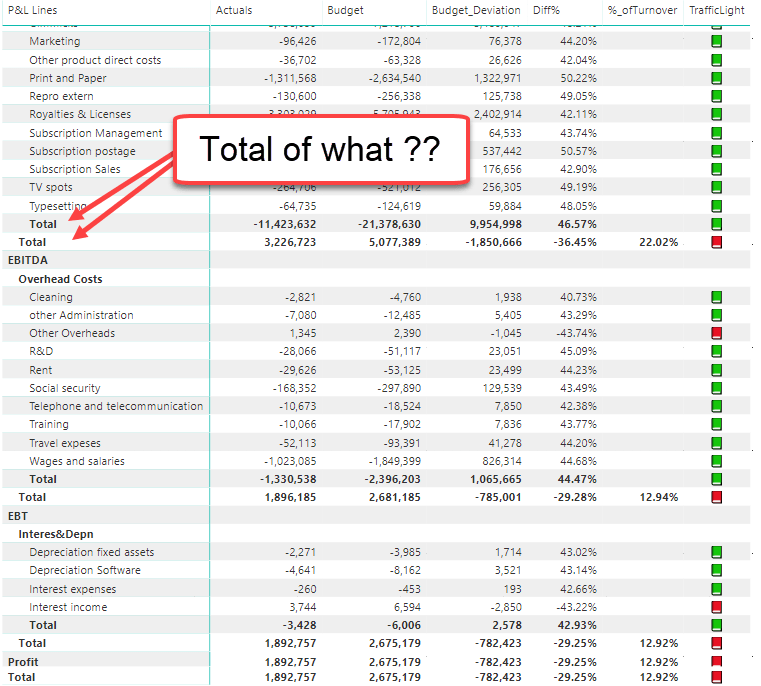
Why Power BI isn’t suitable for Financial Statements (… currently … hopefully …)

!! This is a clickbait post to get your vote for some missing features in Power BI !!

Although this might not be what the inventors of Power BI had in mind, large lots of folks are trying to create classical financial statements in it. And putting aside the afford that might go into getting the numbers right, there is still a major drawback to swallow:

Read more

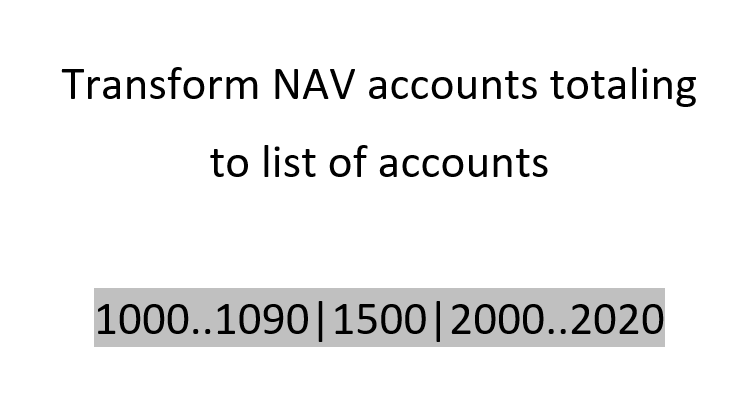
Create list of accounts from NAV account schedules or COA totaling syntax

In this blogpost I’ll show you how to create a list of account numbers from the totalling syntax that you find in Dynamics NAV account schedules or chart of accounts for example:

1000..1090|1500|2000..2020

This string shall be transformed into a “real” list of account numbers in the query editor that can be used to select all accounts within those ranges.

Read more

Return all occurrences of text between delimiters in Power BI and Power Query

The M-function Text.BetweenDelimiters does what it says and returns the text between 2 delimiters in the query editor of Power BI and Power Query. But irrespective of its optional arguments you can use to select specific occurrences, it will always only return one string found.

Problem

How to retrieve all occurrences of strings between in a text field like here for example: I’d like to get a list that contains “Python” and “R”:

“Meanwhile I prefer +Python!+ to +R!+”

Meaning all strings found between the delimiters “+” and “!+”.

Solution

This function will return the desired list:

Read more

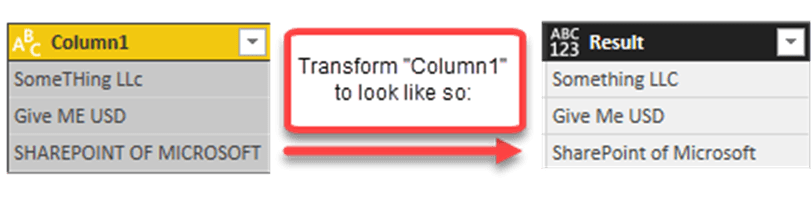
Transform text with exceptions in Power BI and Power Query

Recently I picked up an interesting request to transform text with exceptions: Transform the words in a column to proper case, but keep certain keywords like in a defined list.

Problem: Transform text with exeptions

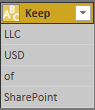
Say you have a list with specific terms that shouldn’t be proper cased like so:

And you want to proper case the following column:

Convert to proper case with exceptions

So I proper case each word that is not contained in the “KeepTable”, identify the elements in the “KeepTable” in a case insensitive way and transform them into the syntax that’s specified in the “KeepTable”.

Solution

Read more