Part 2: Automatically validate E-mail attachments with Flow and Power BI

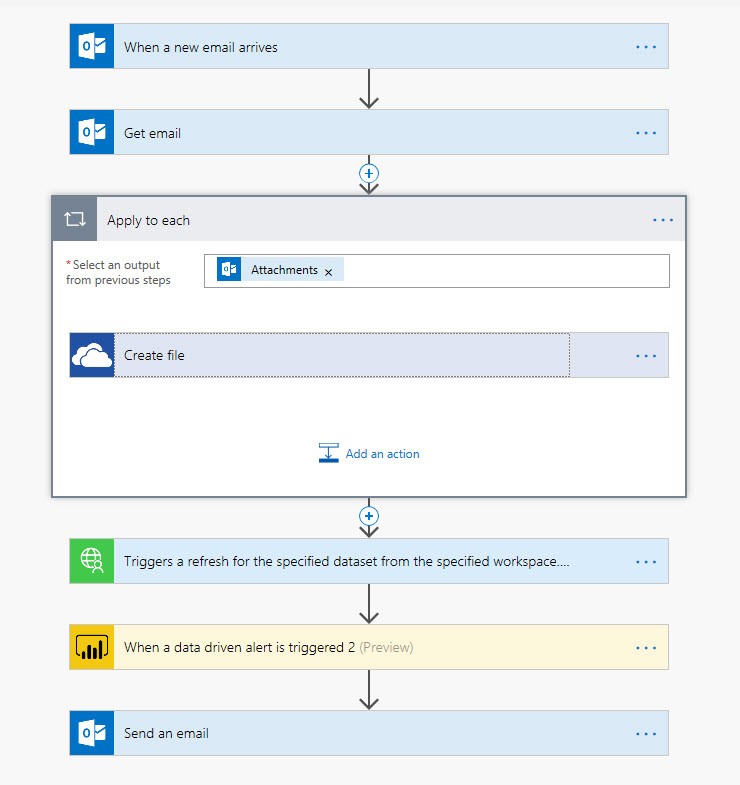
In Part 1 of this little series I described the core-Flow on how to automatically validate E-mail attachments with Flow and Power BI. It automatically sends an e-mail to a business partner who sent an attachment, that didn’t meet the agreed specifications:

Automatically validate e-mail attachments – Part1

But before going live with this Flow, you should consider the following aspects:

Caveats

Read more

Automatically validate E-mail attachments with Flow and Power BI

Receiving files from business partners that don’t match the agreed requirements/formats causes all sorts of problems in daily business. I found it particularly disturbing during month-end closing when time is really tight: You have a strict rule in which order each process has to run and there are many dependencies between them. So when then one import doesn’t work, many other processes will come to a halt as well. Fortunately, today there is a simple remedy for it: Automatically validate E-mail attachments with Flow and Power BI

Process Automation with Flow and Power BI

You can create a Flow that “listens” for incoming emails in a mailbox that match certain criteria and contain attachments. Flow can then extract these attachments and save them to an online-folder. After that, Flow triggers a refresh of a Power BI dataset, that imports these attachments and checks for the data quality-criteria that you have defined. Then you create measures for the data quality that trigger data driven alerts from Power BI service. Flow then listens for these alerts and sends an email back to the sender, requesting for a corrected file.

This not just saves crucial time, but also your nerves (and those of your team-mates).

The Details

Read more

Writing data to GitHub using Power Query only

You shouldn’t do it …

Generally it’s a very bad idea to execute commands in Power Query that write out data to a source, as these commands might be executed multiple times (https://blog.crossjoin.co.uk/2018/10/07/power-query-write-data/)

… unless … maybe ?

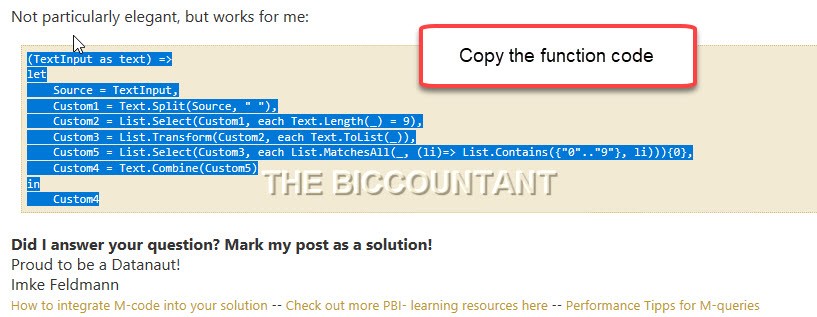
However, as with most good rules, there are exceptions. I leave it to you to decide whether my use case here is a valid candidate for it. It doesn’t execute the code twice, because I execute the query only from the query editor and none of the other queries is referencing its results. But please see for yourself – Writing data to GitHub using just Power Query:

The video

Read more

Get full Time Activity data from QuickBooks into Power BI

Problem

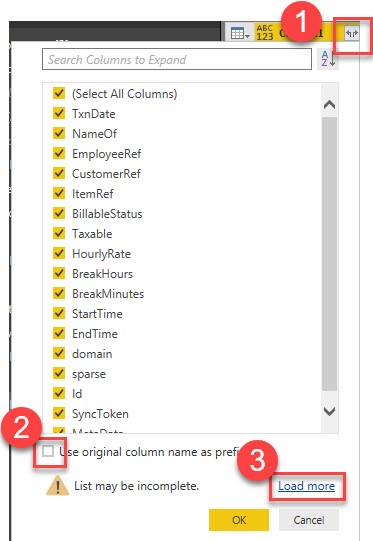
As per the time of writing, the native QuickBooks connector in Power BI has some shortcomings for the Time Activity-data: It will not return employee details (so you will not know who did the hours) and it will not return hours (if they haven’t been entered by start- and end-date).

Solution

But fortunately the connector has 2 functions, who can return the full data that the QBO-API has to offer. At the end of the list in the navigation pane there are the functions “Entity” and “Report”:

Read more