
Black Scholes Option Pricing with Power Query in Power BI

The Black Scholes formula returns the value of European put and call options. The version I’m sharing here uses the standard normal cumulative distribution function from my previous blogpost. Algorithm For the implementation of this formula in M, I’ve used the R implementation from Financetrain for the ease of use: BlackScholes <- function(S, K, r, … Read more

Excel NORM.DIST function in Power Query and Power BI

If you’re looking for Excel functions in Power BI, you will recognize that much more of them have been transformed to native DAX functions than to native M functions in Power Query. One of the basic statistical functions that hasn’t made it to M is the NORM.DIST function. Excel NORM.DIST function in Power Query The … Read more

Extract only letters from a mixed string in Power Query and Power BI

This is a quick method about extracting only letters from a string. It is part of the Week2 “Preppin’ data” challenge.

Task for extracting letters from a string

Image you have a string like so: “10.ROADBIKES.423/01” and would like to extract only “ROADBIKES”.
Power Query actually has a function for this purpose: Text.Select. It takes 2 parameters:

  1. The text to select from
  2. A list of characters that shall be selected

For the given example the code would look like so:

Text.Select( "10.ROADBIKES.423/01", {"A".."Z"})

This function is always case sensitive as there is no optional parameter that accepts a comparer function.
Easy application

Read more

Clean up or harmonize mis- or differently spelled category data with Power Query

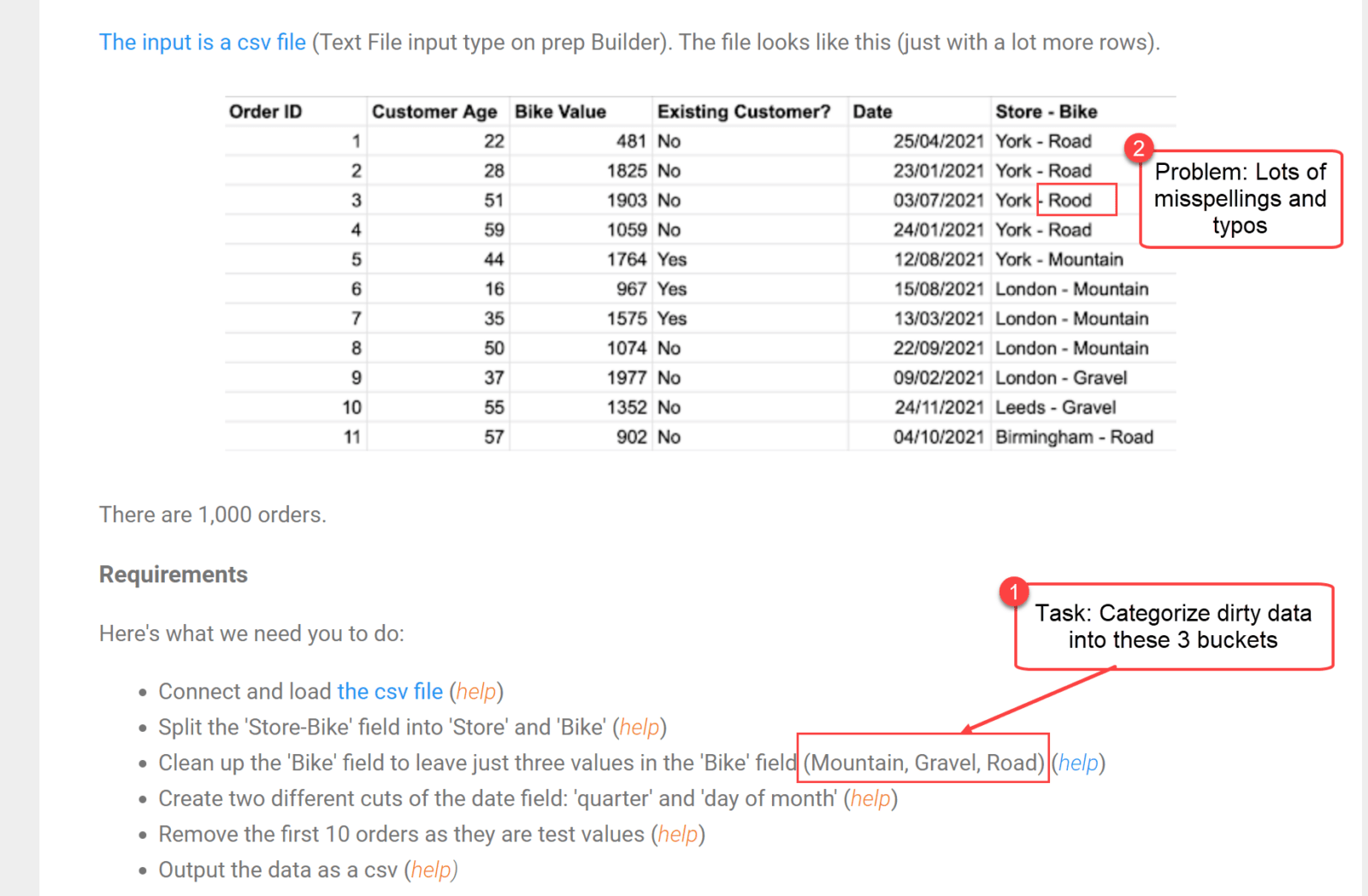
A typical problem with data that has been created by manual entries is that category values are often misspelled or missed. So in this article I’m showing a very powerful technique on how to deal with this problem to clean up dirty category data. It was inspired by the “Preppin’ data” challenge whose instructions you can read here.

Task

Categorize dirty data

Read more