
Improve import of Excel sheets with empty rows and columns in Power Query and Power BI

When you import Excel sheets who have empty leading or trailing columns and rows (showing null-values), you can substantially improve the complexity and speed of your import process with a simple trick: Remove the reasons for the empty trailing rows and columns 😉 Background Usually, when you import data from an Excel sheet, Power Query … Read more

Fast and easy way to reference previous or next rows in Power Query or Power BI

When you search the web for solutions to reference previous or next rows in the query editor of Power BI or Power Query, you will find many solutions that base on an added index-column. But the problem with these solutions on large tables is that performance will range between slow and extremely slow. In this … Read more

Efficiently rename columns with a function in Power BI and Power Query

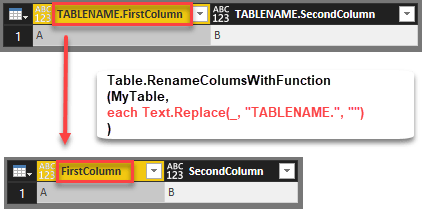
Edit 2018-July-05: As it turns out I’ve missed the native function that exists with exact the same functionality: Table.TransformColumnNames Thanks to Tristan Malherbe for pointing this out 🙂 But anyway: If you want to understand what it does and how you could have written it by yourself – read along: The standard function to rename … Read more

Automatically expand all fields from a JSON document in Power BI and Power Query

If you work with JSON documents that are new to you, it can be very helpful to fully expand JSON to see at a glance what’s in there. The following function has you covered for this task. It returns a table with all values in column “Value” and additional columns describing where that value came … Read more

Easy POST requests with Power BI and Power Query using Json.FromValue

The function Json.FromValue provides a super-easy way to create POST-calls to web services that require JSON format in their body parameters. Background If you want to make a POST request to a web service through Power Query, you have to add the relevant data in the “Content”-parameter of the query (see Chris Webb’s article here for … Read more

Import data from multiple SharePoint lists at once in Power BI and Power Query

This is a quick walkthrough on how you can easily import multiple SharePoint lists at once, just like the import from folder method.

Start as usual

You start your import like this:
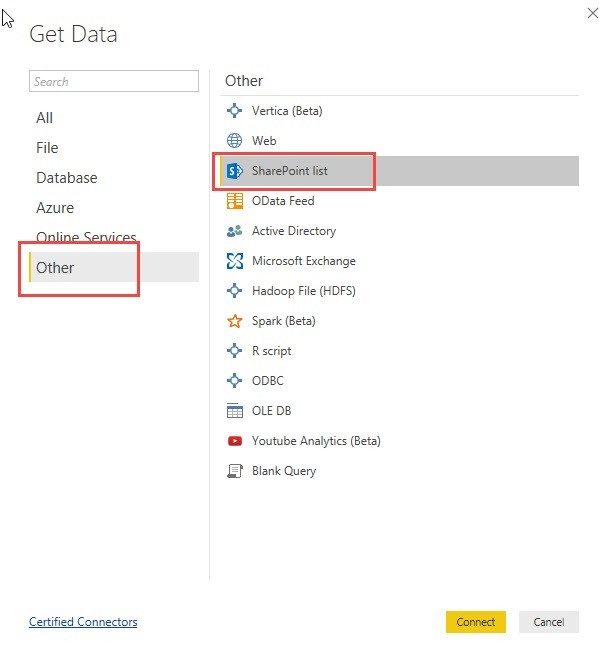
Pass the URL to the folder where your lists are located:

In the next step you would normally choose all the multiple SharePoint lists you want to import:

Read more