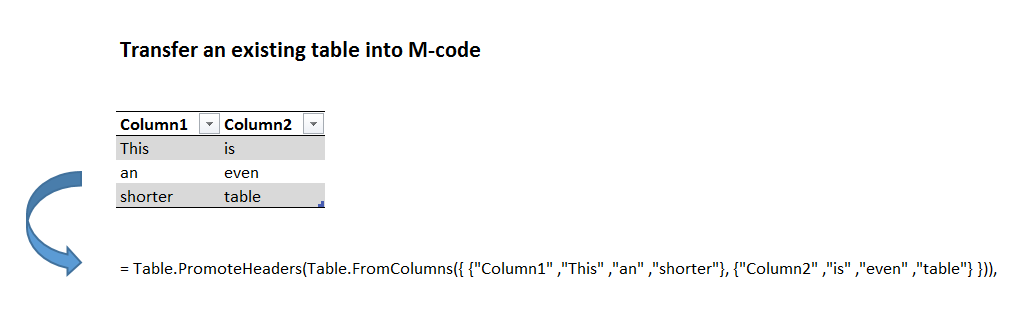
One of M’s advantages is that you can share M-code in textform and it will run instantly on a different computer. So no need to actually exchange a file. Provided that you pass the data on as well with your code, like you can see in this example.
But it would be a bit tedious to type in all the data manually – so let’s M do this automatically for us:
1 Automatically transfer a list into textform to share M-code
let
qList= {"This", "is", "a", "pretty", "short", "list"},
Source = qList,
CoreString = Text.Combine(List.Transform(Source, each Text.From(_)), """, """),
FullString = "= {"""& CoreString &"""}"
in
FullString
2 Automatically transfer a table into textform to share M-code
let
qTable= Table.PromoteHeaders(Table.FromColumns({ {"Column1" ,"This" ,"an" ,"shorter"}, {"Column2" ,"is" ,"even" ,"table"} })),
Source = qTable,
DemoteHeaders = Table.DemoteHeaders(Source),
ListOfColumns = Table.ToColumns(DemoteHeaders),
ConvertToTable = Table.FromList(ListOfColumns, Splitter.SplitByNothing(), null, null, ExtraValues.Error),
CoreString = Table.AddColumn(ConvertToTable, "Custom", each Text.Combine(List.Transform([Column1], each Text.From(_)),""" ,""")),
FullString = "= Table.PromoteHeaders(Table.FromColumns({ {"""& Text.Combine(CoreString[Custom], """}, {""")&"""} })),"
in
FullString