
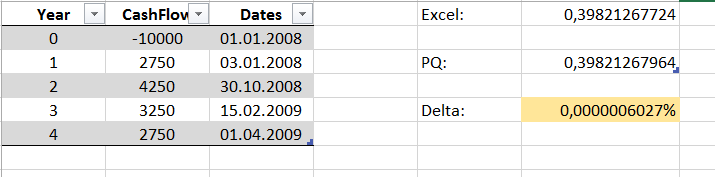
If you want to solve Excels XIRR-function with M in PowerBI or PowerQuery you have to use a goal seeking algorithm. I tried it with a binary-search and the results were quite good (on my scale):
Wondering if there are other solutions out there or different techniques regarding the “helper”-elements I had to include here, so please come forward 🙂
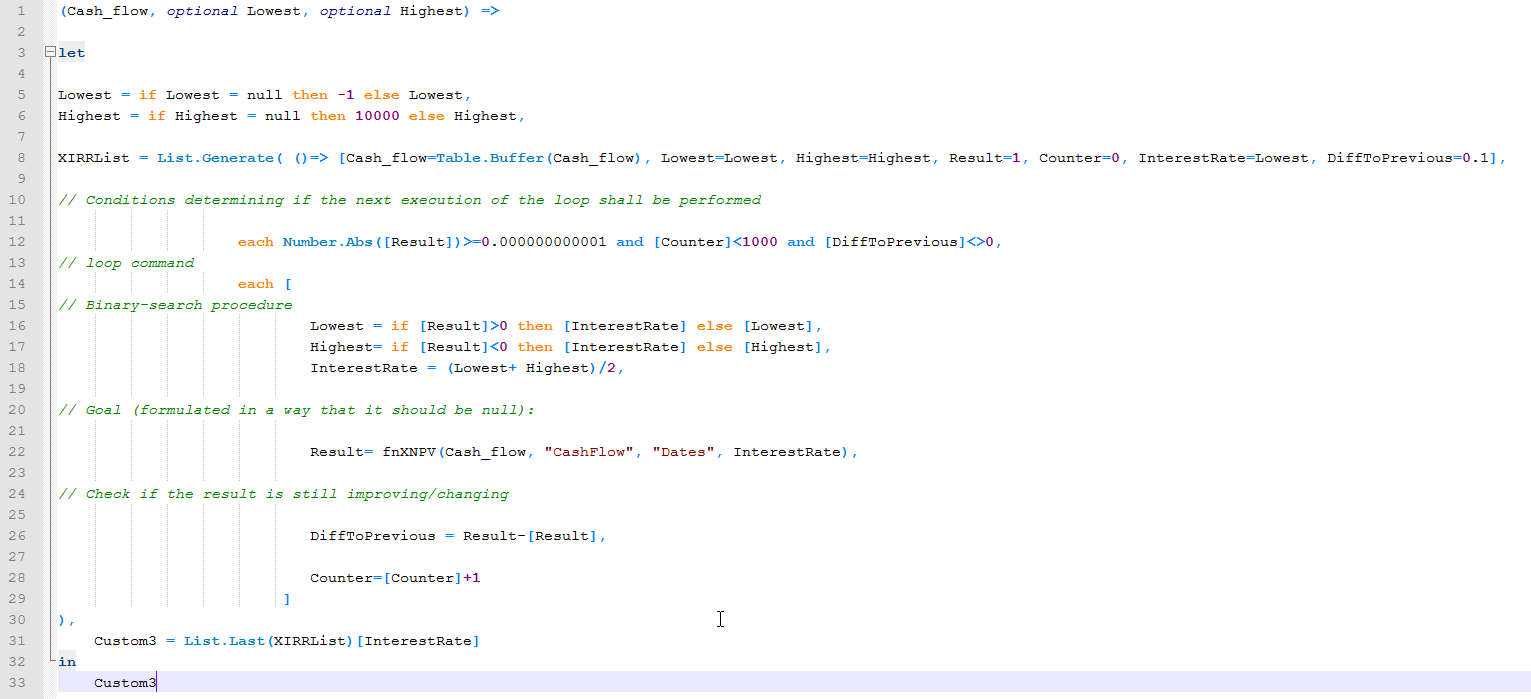
Code: GoalSeekXIRR.txt
The goal-value is formulated in a way that it should be zero, as this is what the binary-search procedure is aiming at. In this case it’s the XNPV. Other cases could be Break-Even for example, where the accumulated sales match the accumulated costs. In that case you would write: Result = sales – costs .
Subscribers can check it out in this file: GoalSeekForXIRR.xlsx
Enjoy & stay queryious 🙂
Hi Imke,
I’ve learned my lesson with Kmeans clustering algorithm and since stopped trying to implement number crunching algos in M 🙂
Nevertheless the script you have here is a great example of how to do (for/while) loops in M.
By the way, have you seen how the clustering was implemented in the tabular model? Apparently there is a KMeansClustering function in DAX. I guess this is where most of the algos will be implemented eventually.
Cheers,
Igor
Hi Igor, thx!
Have you shared your lessons learned re the Kmeans yet? (Looks like I’ve missed that)
Haven’t seen KMeans Clustering in DAX either. Can you please share a link?
Thx and cheers, Imke
Hello Imke
Perhaps a silly question but I struggle to pass a tablename “Cashflow” to the function in the excel file you have provided in this post. I tried to type in “Cashflow”, and [Cashflow} and just Cashflow – and nothing works coming back with an error message :
An error occurred in the ‘fnXNPV’ query. Expression.Error: We cannot convert the value “Cashflow” to type Table.
Thank you for your time!
Dear All – please ignore my earlier question. fnXIRR works perfectly well.
For new to PQ, this function is to call the function from within a table of cashflow… not passing a table name to a function…
https://www.youtube.com/watch?v=IFe1kVEDSDw
Imke’s YouTube guidance on calling a custom function