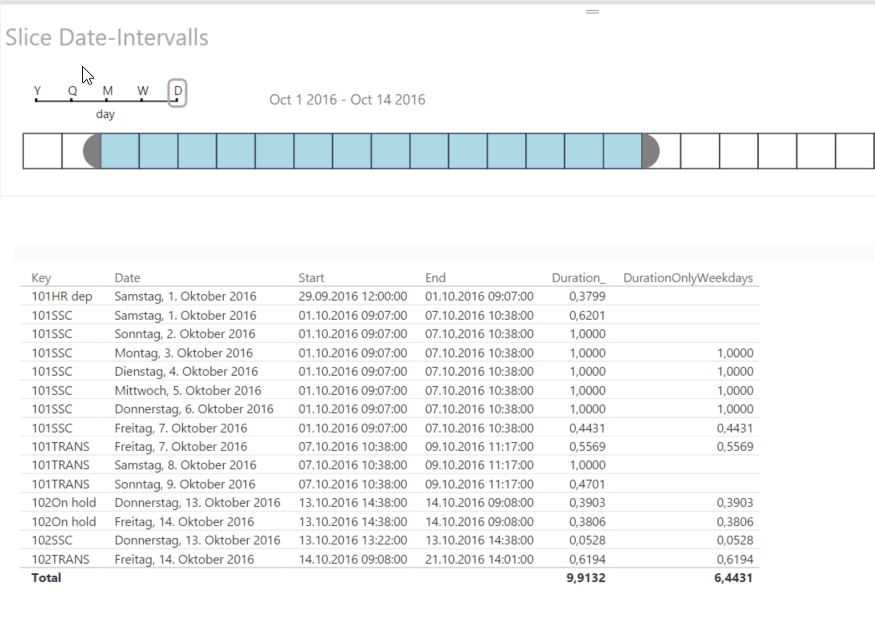
While it is fairly easy to calculate the difference between 2 dates in DAX using DATEDIFF, it is a bit more demanding if you want to exclude weekends and holidays or filter the duration on certain date-intervals, so only get a part of it. Also if you want to return on date-time-level instead of only counting net-workdays.This is where this new technique for dynamic duration calculation can come in handy.
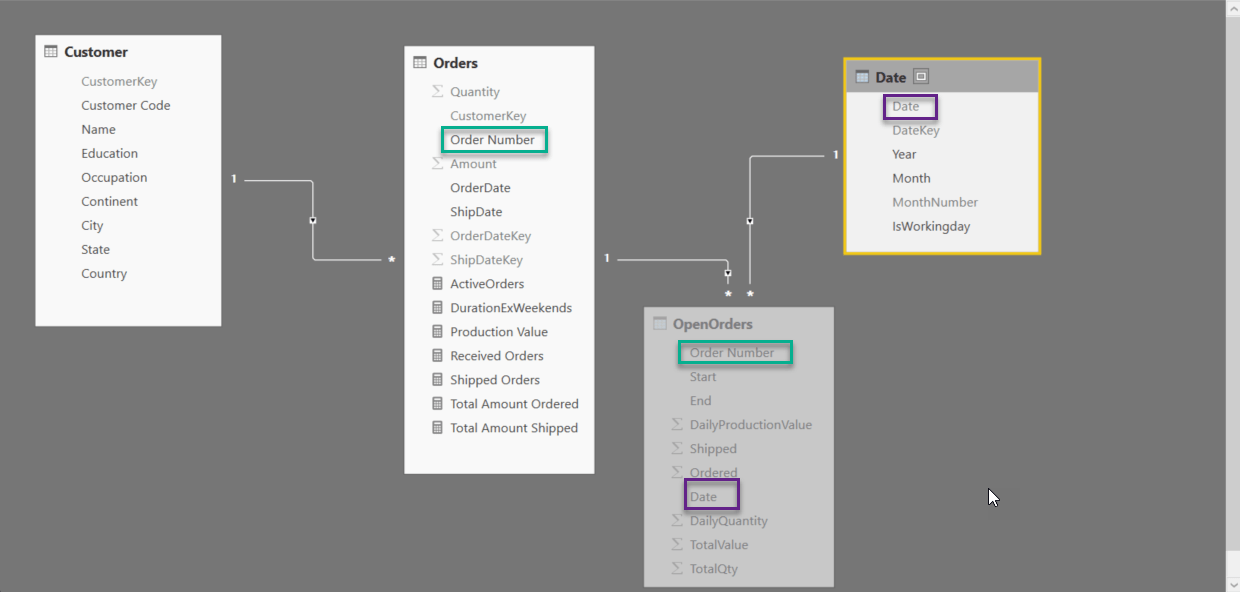
We can use the basic technique that I’ve described here and modify it by adding 2 columns to the calculated table:
- Duration per day on a Date-Time-level
- Marker-column if weekday or not (this assumes that you have a column in your date-table which indicates if the day shall be considered as weekday or not)
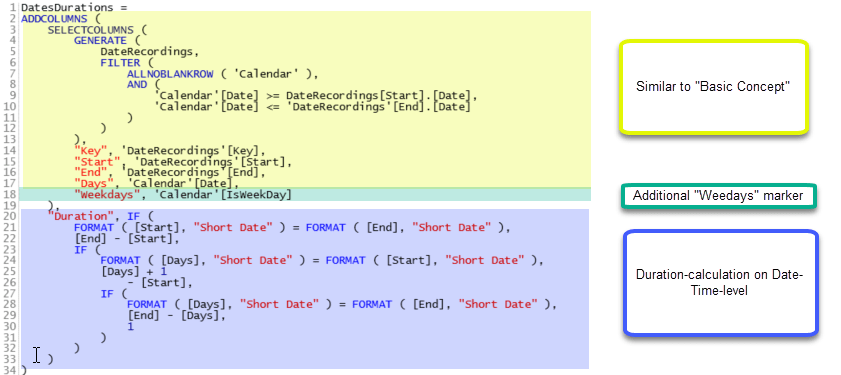
The duration-calculation needs to handle the cases where only parts of the day are to be counted: If the event starts and ends at the same day, the difference between those figures has to be taken. If on the other hand, the event spans multiple days, for the start-day the time until the end of the day has to be calculated while for the end-days the time from the beginning of the day is the right one. The other days count as full days with 1. Hence these 4 cases.
Let’s have a final look at our simple measures: